

Customer App
Your buyers' unit, payments and progress, in your own app.
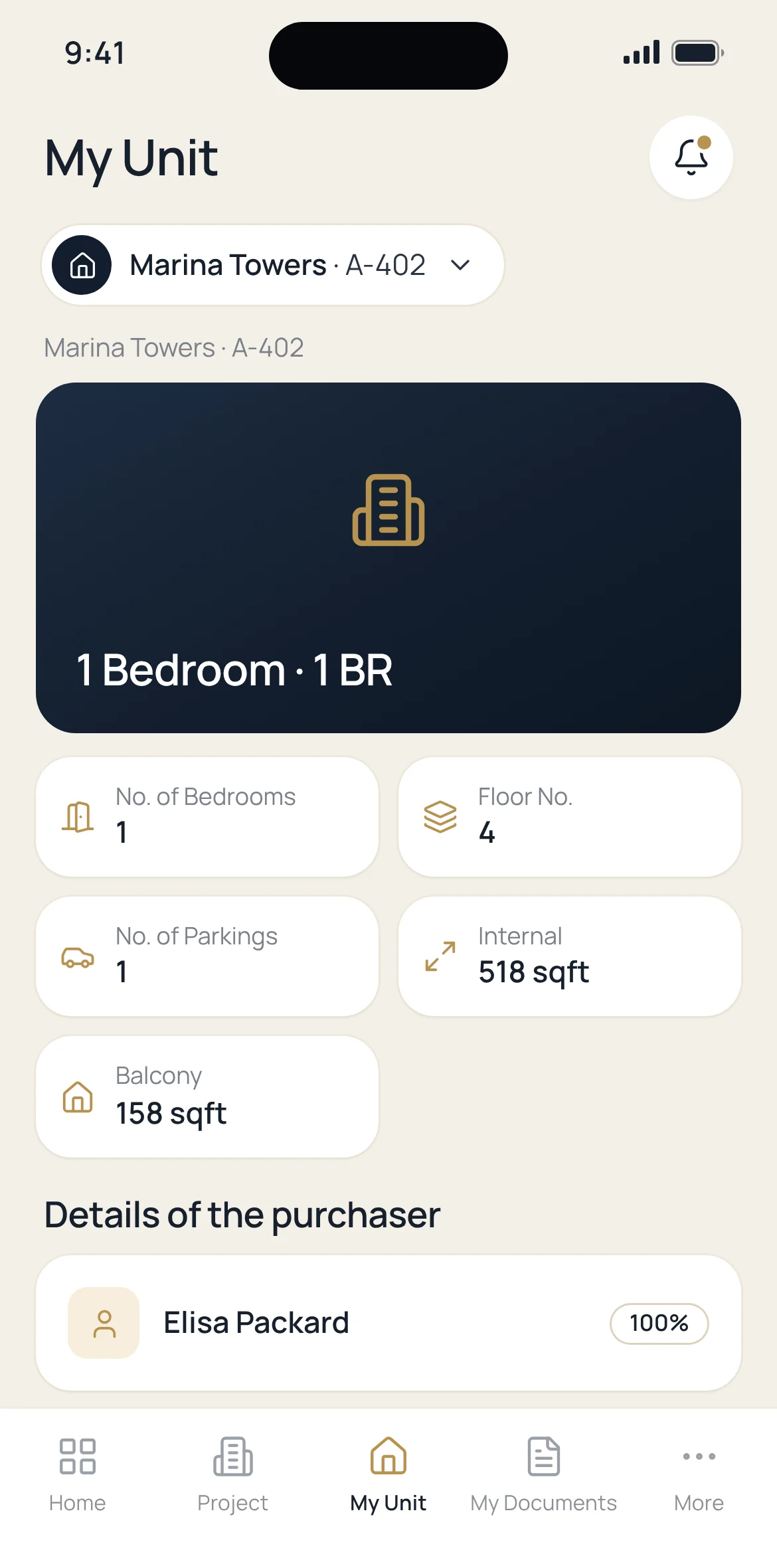
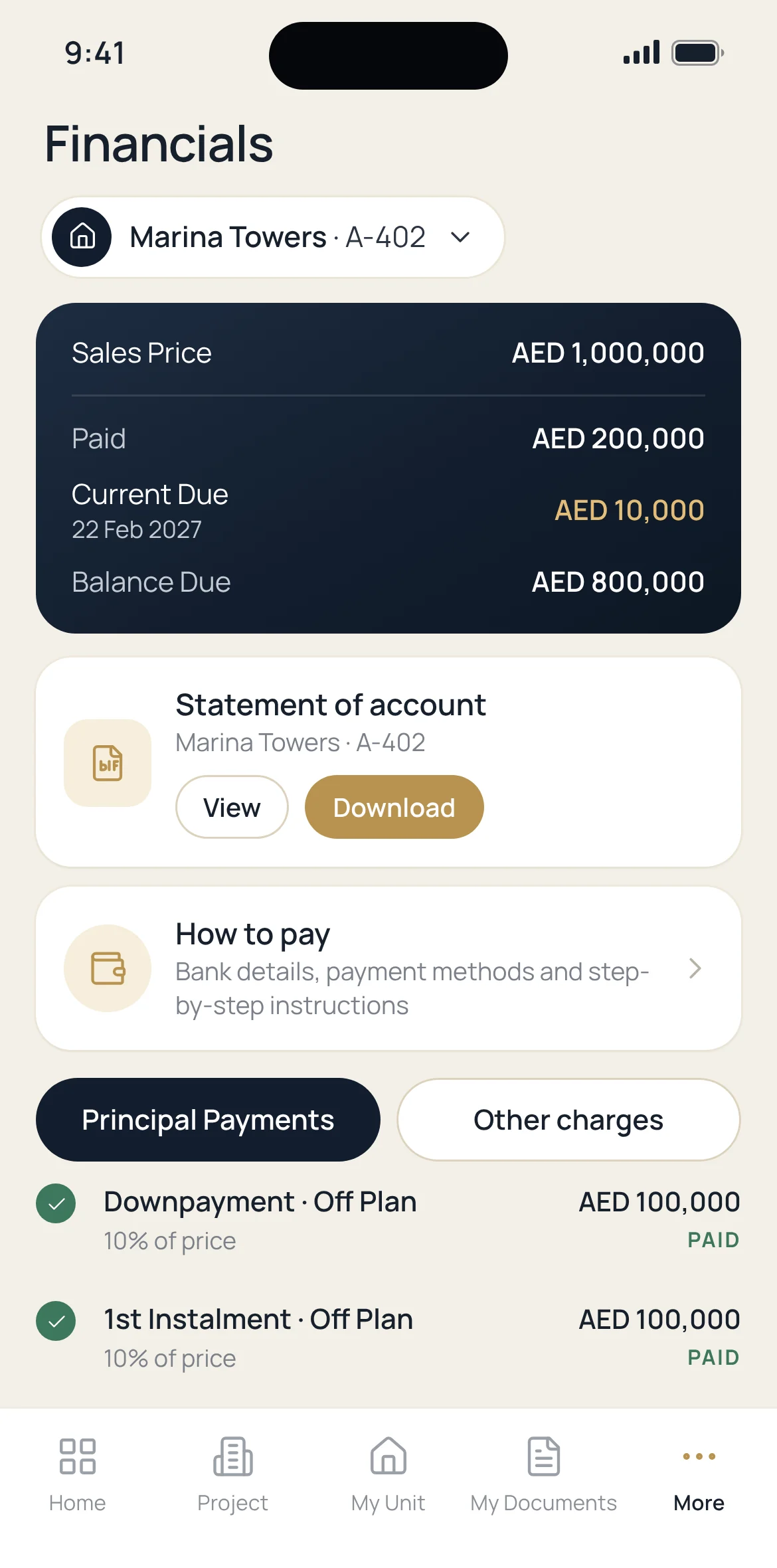
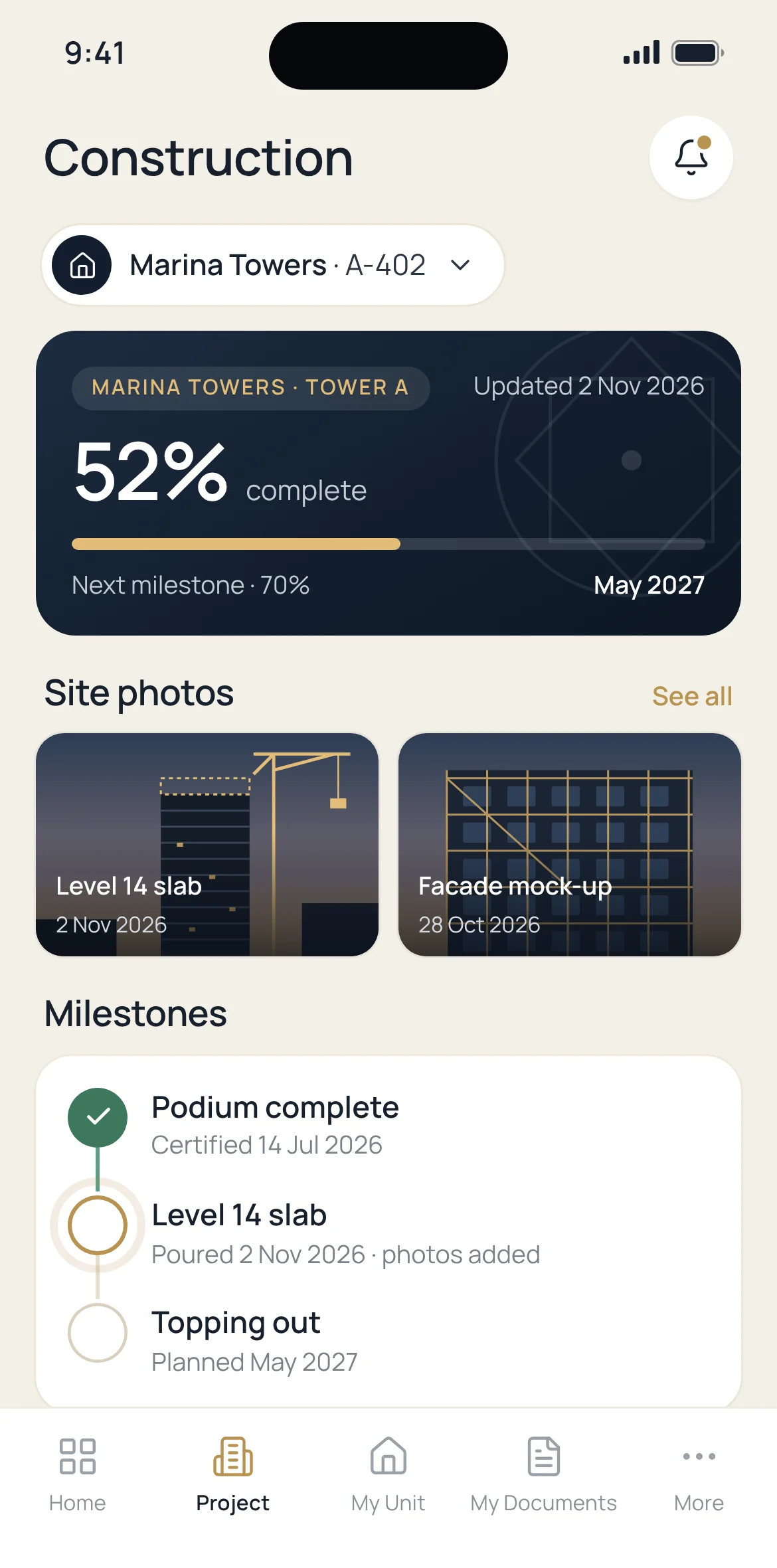
The Oryx Customer App gives your buyers their unit, payment schedule, receipts, documents and construction progress on iPhone and Android, in English and Arabic, under your brand.
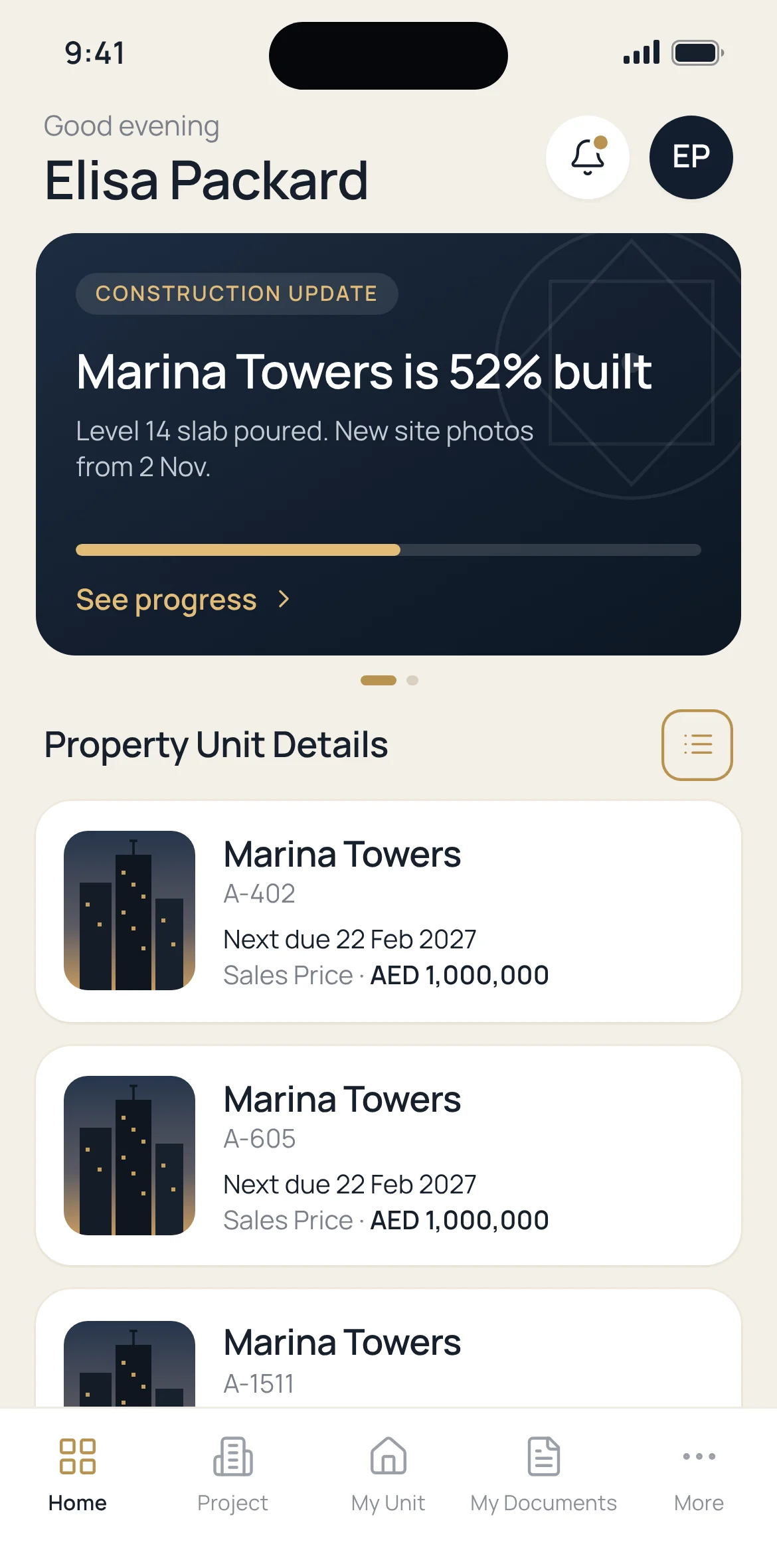
- Fewer calls
Statements, receipts and contracts on hand, any time.
- More trust
Progress and site photos the day they happen.
- The next sale
New launches shown to the buyers you already have.
What changes for your team.
| Today | With Oryx |
|---|---|
| Buyers email to ask for a statement of account. | Statements, receipts and contracts are in the app, any time. |
| Progress updates go out in a newsletter every few months. | Site photos and milestones appear the day they are posted. |
| New launches are marketed to strangers. | Buyers you already have see your next launch in the app. |
How Customer App works.
Your buyers' unit, payments and construction progress in their pocket, under your brand.
- 1Brand
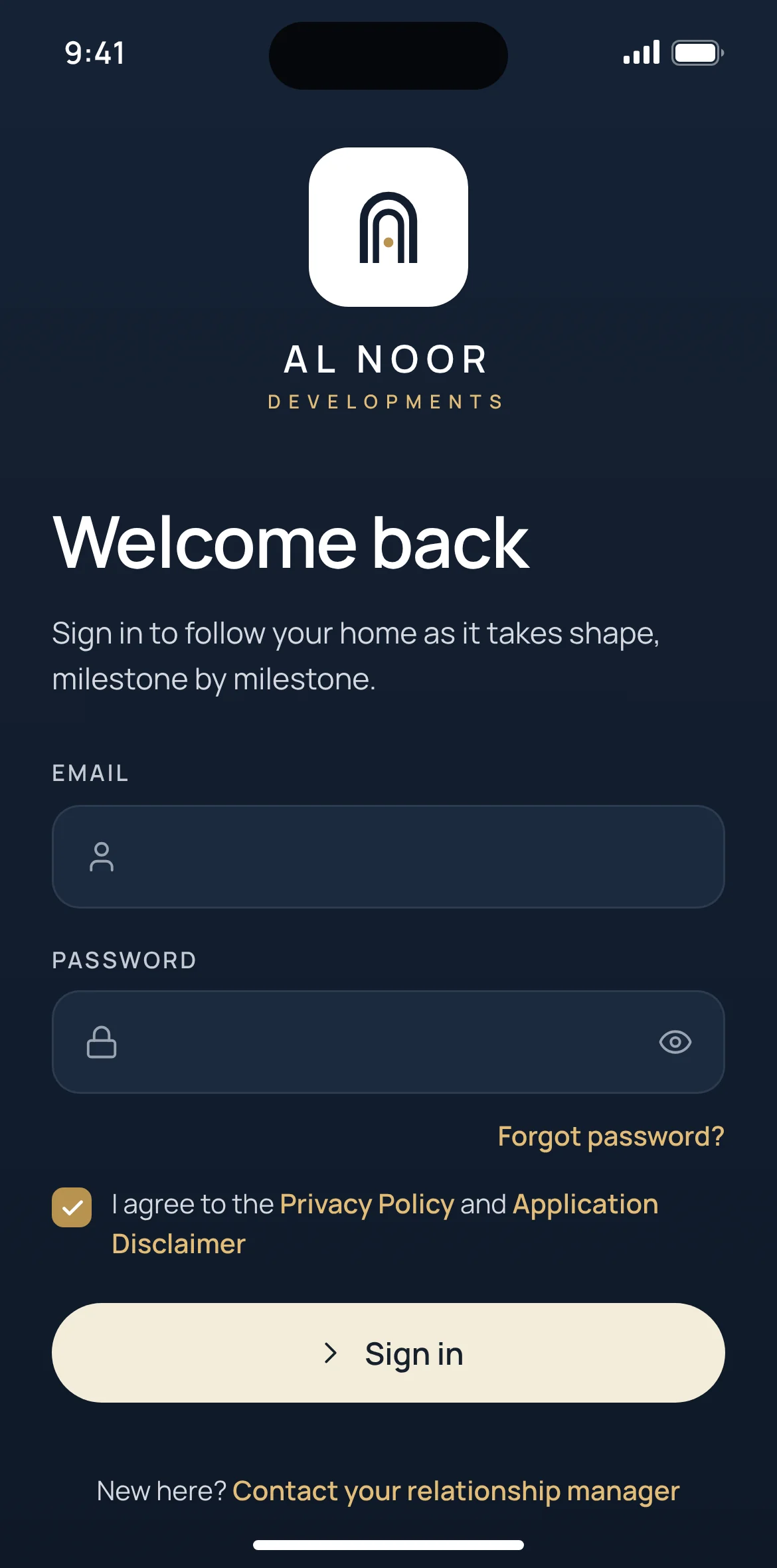
The app carries your logo and colours.
- 2Sign in
Buyers sign in and see the units they own.
- 3Pay
The app shows what is due and every receipt. Buyers pay by bank transfer or cheque.
- 4Follow
Construction milestones, site photos and announcements arrive as they are posted.
- 5Ask
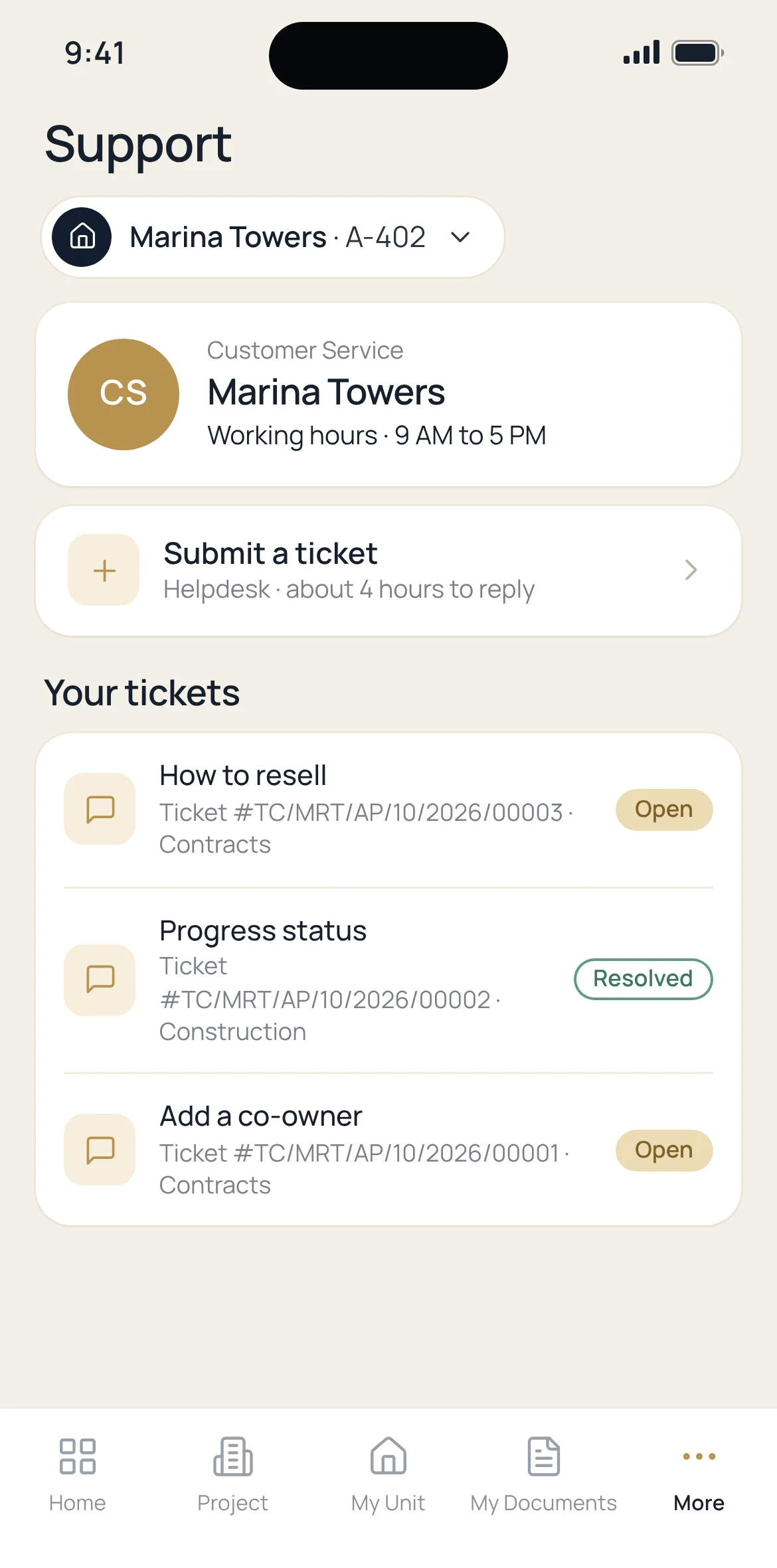
Requests from the app become Customer Care tickets linked to the unit, and the buyer books the handover appointment in the app.
What's included
- iPhone and Android
- English and Arabic
- Site photos and milestones
- Customer service requests
- Instalment reminders
- Handover booking
- Payment by bank transfer or cheque
Works with
- Collections
- Construction Progress
- Customer Care
- Handover & Snagging
In the UAE
- English and Arabic
Every screen works in both languages.
- Overseas buyers
Buyers abroad follow their unit without calling Dubai.
- Payment by transfer or cheque
Buyers see bank transfers and cheques receipted against each instalment.
Who uses it
- BuyersFollow their unit, payments and progress.
- Customer careAnswers requests that come from the app.
- MarketingPosts updates and new launches.
See Customer App on your kind of project. We set up sample data like a UAE off-plan launch and show the steps your team runs.
Meet UsMore Customer App screens.
Customer App questions.
Is the app in our brand?
Yes. It carries your logo and colours. The screens on this site use a made-up developer brand.
Can buyers pay in the app?
The app shows what is due and every receipt. Buyers pay by bank transfer or cheque, and receipts appear in the app once recorded.
Which languages does it support?
English and Arabic.
Can buyers raise requests?
Yes. A request from the app becomes a Customer Care ticket linked to the buyer's unit.
What do buyers see about their payments?
What they have paid to date, what is due next, every receipt and their statement of account.
Can buyers book their handover in the app?
Yes. When the unit is ready, buyers book their handover appointment in the app.
See your next launch on Oryx.
We show the solutions you pick, on sample data set up like a UAE off-plan project. We reply within one working day.
- No preparation needed
- Your solutions first
- A written proposal after