
Broker Portal
Let agencies sell live inventory, and get bookings ready to process.
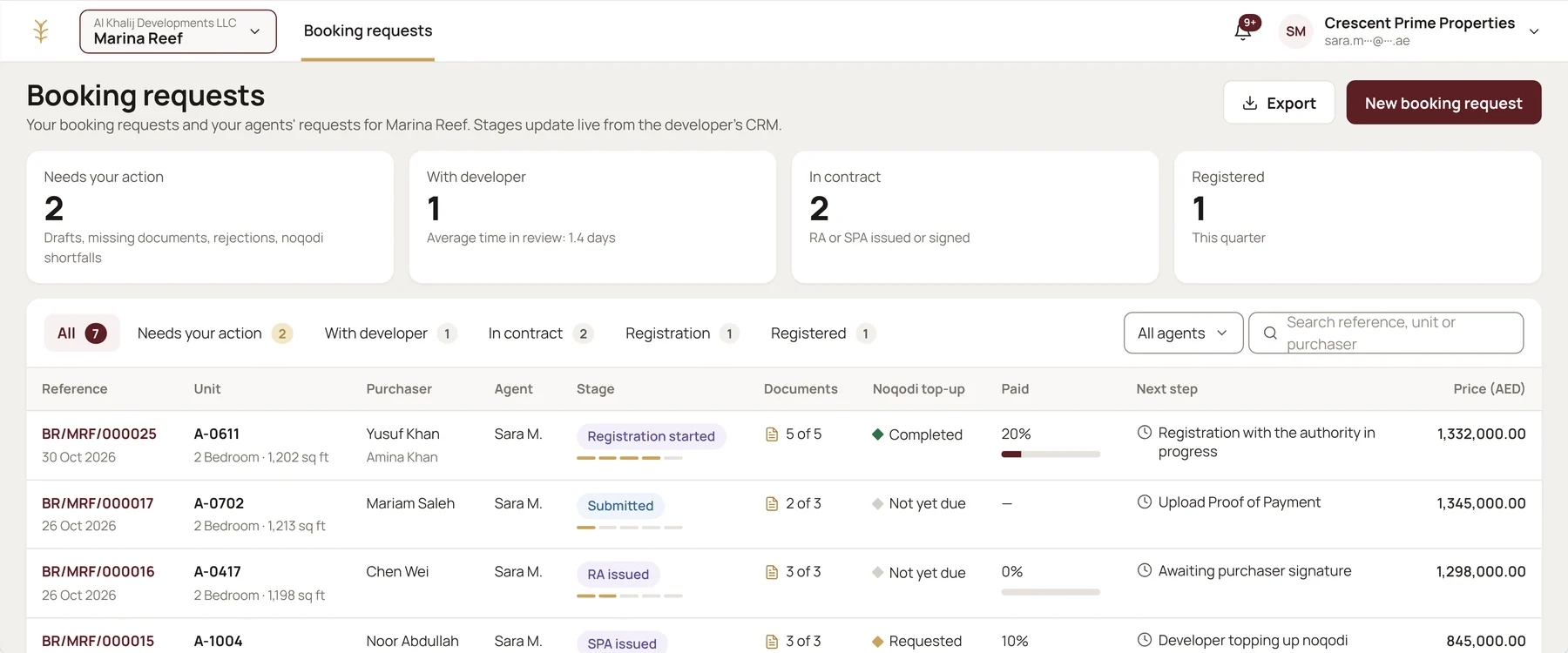
Oryx Broker Portal gives the agencies that sell your off-plan units live availability, prices and sales kits, and sends their booking requests to your back office with the buyer's documents attached.
- Onboard fast
Compliance documents, commissions and allocation in one place.
- Sell live
Real availability, prices, floor plans and sales kits.
- No waiting
Every request reaches your back office ready for the reservation agreement.
What changes for your team.
| Today | With Oryx |
|---|---|
| Agents ask on WhatsApp whether a unit is still free. | Agencies see live availability, prices and floor plans in the portal. |
| Booking forms arrive as photos and scans and are retyped by the back office. | Requests arrive with the buyer's details and documents, ready for review. |
| Commission disputes start with "who brought the client first?" | Every registration and request is time-stamped against the agency. |
How Broker Portal works.
Brokers sell your live inventory from any device. Your back office acts on every request at once.
- 1Onboard
The agency registers with its trade licence, ORN and the documents you ask for. Your team approves it before it can book.
- 2Sell
Agents see live units, prices, payment plans and sales kits on phone, tablet or desktop, and send sales offers to their clients.
- 3Request
A booking request carries the buyer's details and documents. Your back office reviews it, and reminders go out when documents are missing or a reservation is not completed.
- 4Track
The agency follows each request through to registration, including the noqodi top-up status for DLD fees.
- 5Settle
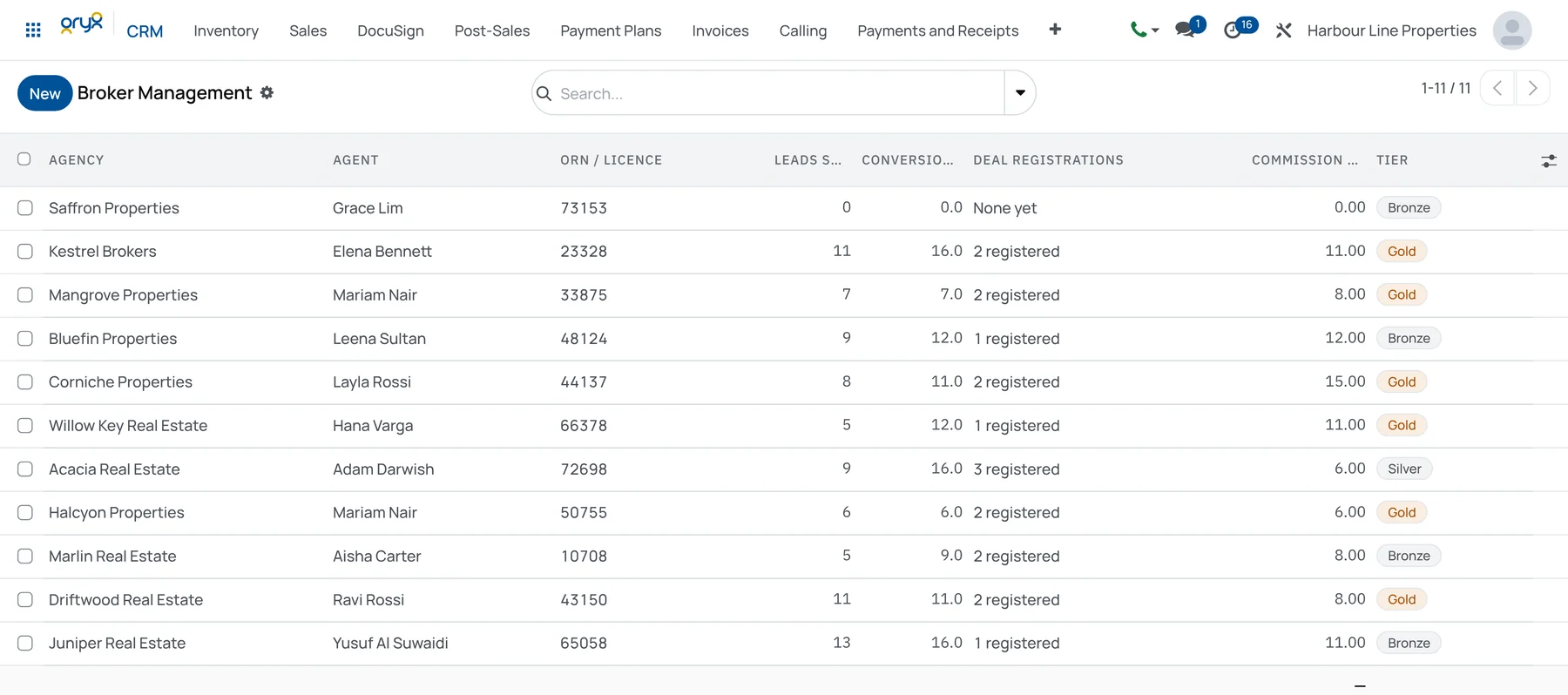
Commission and allocation are tracked per agency against the bookings it brought.
What's included
- Requests tracked to registration
- noqodi top-up status
- Booking summary PDF
- ORN and licence details
- Commissions and allocation per agency
- Phone, tablet and desktop
Works with
- Inventory Portal
- Leads & Marketing
- Contracts & Registration
- noqodi status
In the UAE
- RERA-registered agencies
Each agency's ORN and licence details are kept on its record.
- DLD fees
Agents see whether the noqodi top-up for a booking has been made, so registration is not held up.
- Booking summary
Every request produces a booking summary PDF the agent can share with the buyer.
Who uses it
- Channel managerApproves agencies and watches conversion per agency.
- Back-office reviewerChecks each request and moves it to the reservation agreement.
- Agency adminManages the agency's agents and documents.
- AgentSells live units and follows their own requests.
See Broker Portal on your kind of project. We set up sample data like a UAE off-plan launch and show the steps your team runs.
Meet UsMore Broker Portal screens.
Broker Portal questions.
Do brokers need to install anything?
No. The portal works on phone, tablet and desktop, and agents sign in with the account your team approves.
What does an agency need to register?
Its trade licence, ORN and the compliance documents you choose to ask for. Your team approves the agency before it can send booking requests.
What does an agency see?
Live availability, prices, payment plans and sales kits, plus its own requests and clients, each with its status.
How are commissions tracked?
Commission and allocation are tracked per agency against the bookings it brought, so the channel team and finance work from the same figures.
What if an agency registers a client who is already in our CRM?
Oryx flags the conflict and a manager decides. The registration time of each record is kept, so the decision rests on facts.
See your next launch on Oryx.
We show the solutions you pick, on sample data set up like a UAE off-plan project. We reply within one working day.
- No preparation needed
- Your solutions first
- A written proposal after