

Collections & Post-sales
Collect every instalment on time, without chasing by hand.
Oryx Collections & Post-sales builds each buyer's payment schedule from the payment plan, issues invoices and receipts, sends reminders around every due date, and runs resales, defaults and terminations through set stages.
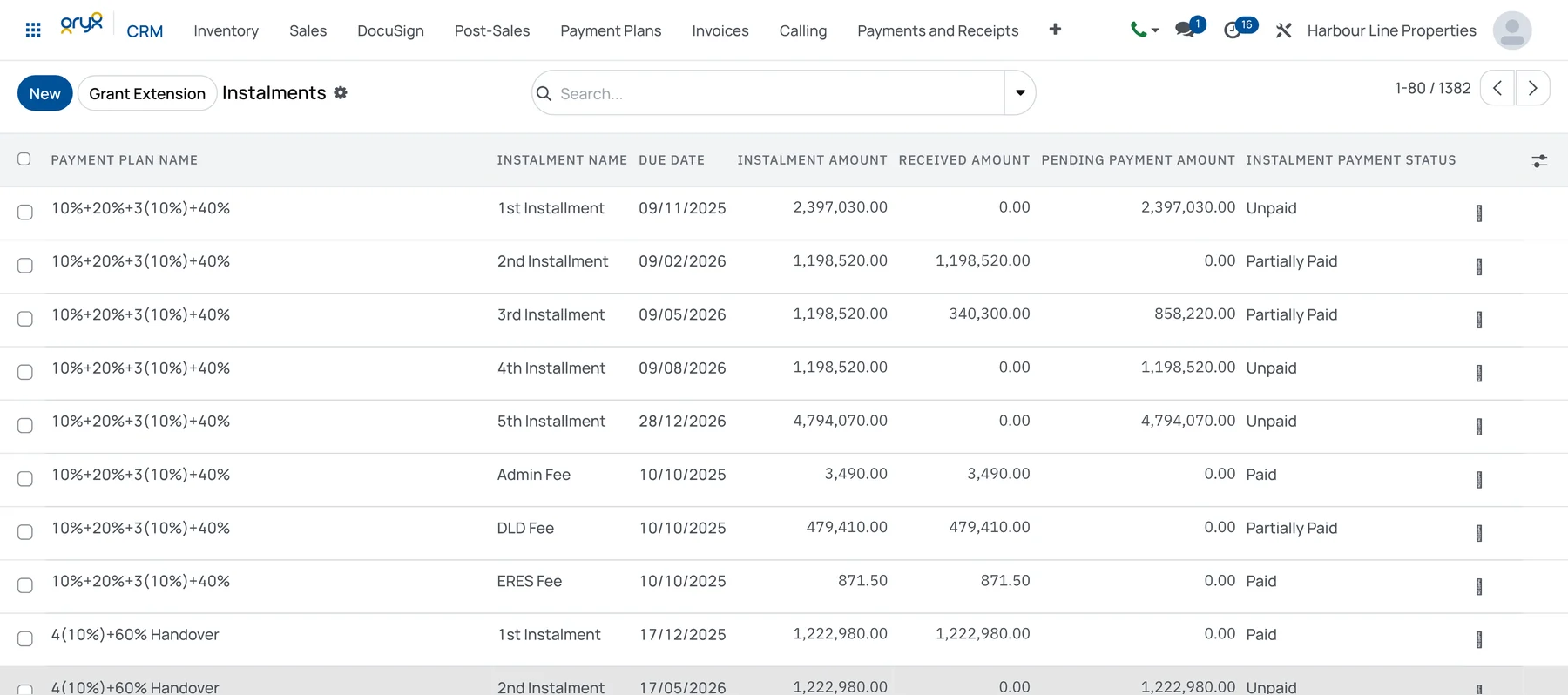
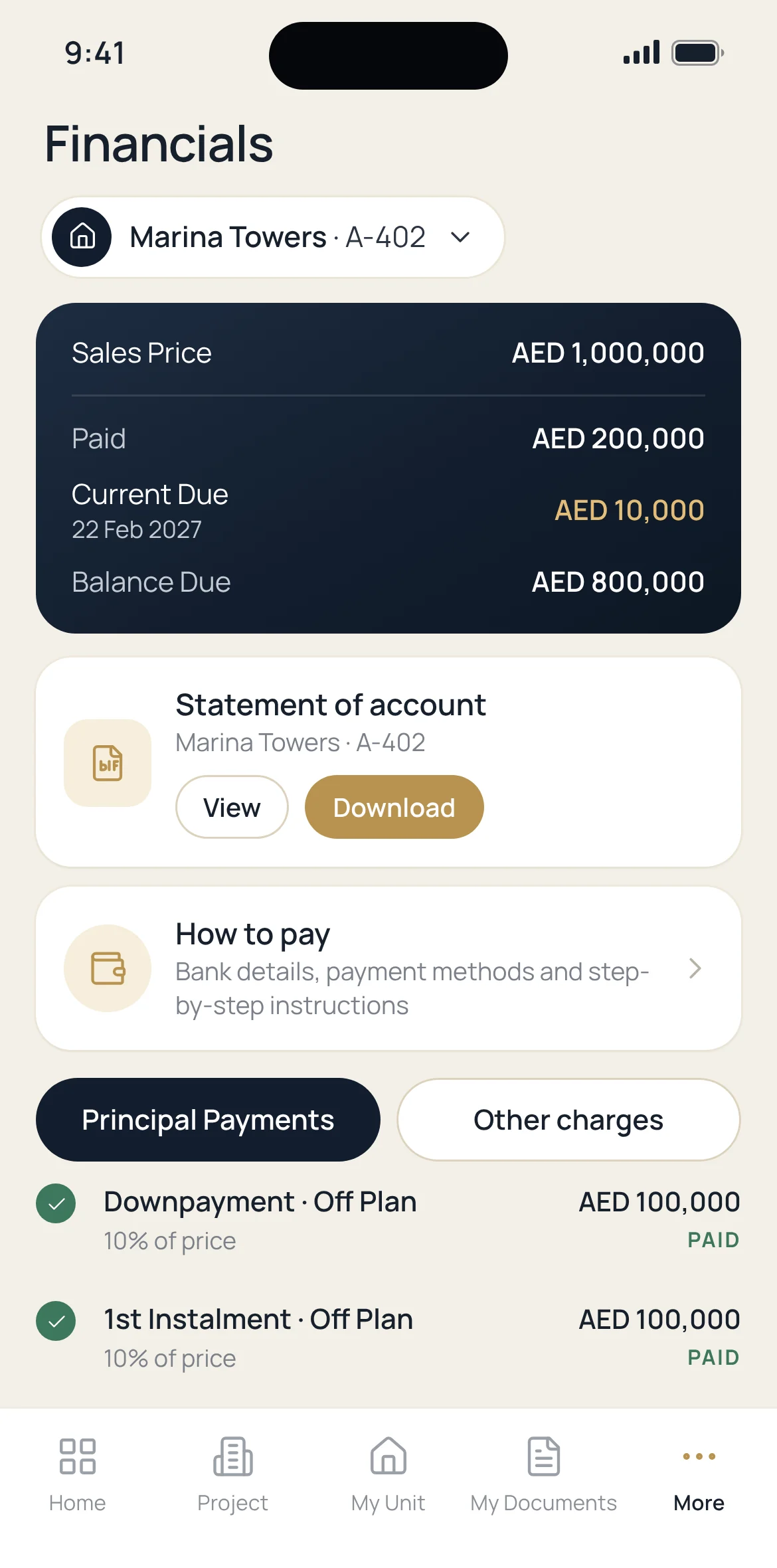
- Chased automatically
Reminders by email and app before anyone picks up the phone.
- Matched
Every receipt matched to the instalment it paid.
- Exceptions on rails
Resales, defaults and terminations through set approval stages.
What changes for your team.
| Today | With Oryx |
|---|---|
| Instalment dates live in a spreadsheet, and reminders depend on who remembers. | The schedule comes from the payment plan, and reminders go out by themselves. |
| Transfers and cheques are matched to buyers at month end. | Each receipt is matched to the instalment it paid, post-dated cheques included. |
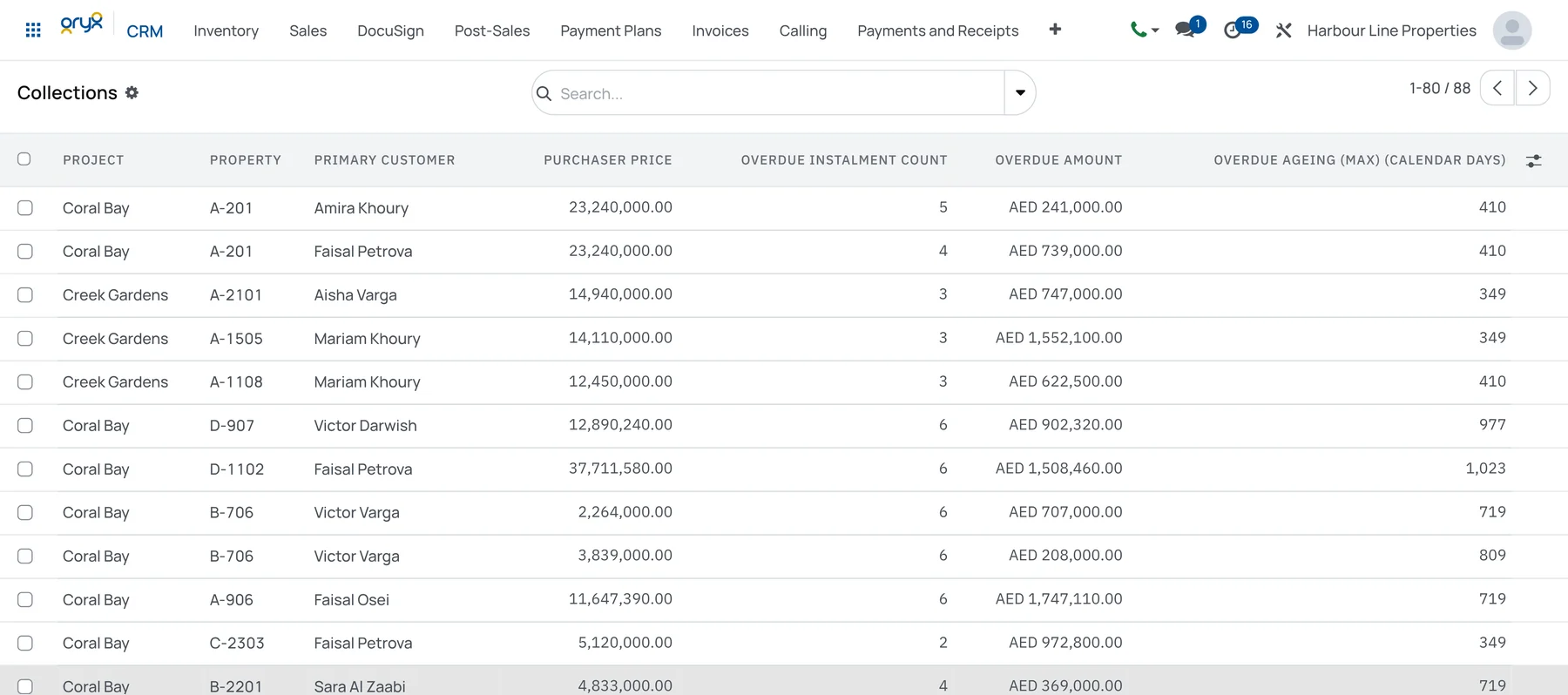
| Collectors call down a list without the history. | The calling screen shows instalments, past calls, tickets and emails for each overdue buyer. |
How Collections & Post-sales works.
Schedules, invoices, receipts and reminders that run themselves. Exceptions too.
- 1Schedule
At booking, the payment plan becomes the buyer's schedule. Proforma and tax invoices follow as instalments fall due.
- 2Remind
Reminder emails go out before and after each due date, and the buyer sees what is due in the app.
- 3Receive
Bank transfers and cheques, including post-dated cheques, are receipted against the instalment. Bank statements are reconciled.
- 4Follow up
Overdue bookings appear on a calling list with instalments, call history, extensions, tickets and emails. An unanswered call raises a reminder after three hours.
- 5Handle exceptions
Late fees and waivers, resales with NOC, and defaults and terminations move through set stages with approvals.
What's included
- Schedule straight from the payment plan
- Reminder sequences
- Customer payment rating, A to E
- Late fees and waivers
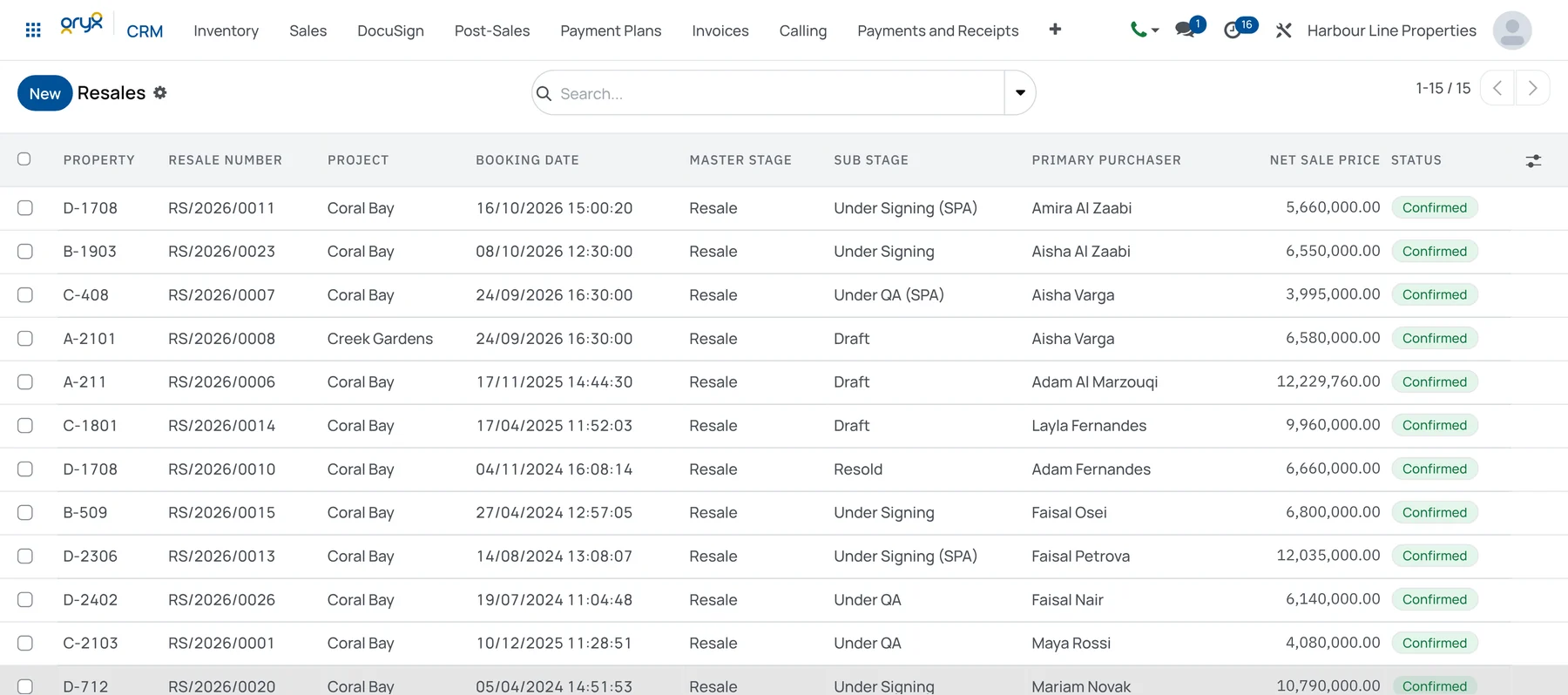
- Resale with NOC
- Default notices with DLD stages
Works with
- Payment plans
- Bank statements
- Veutel e-invoicing
- Ziwo calling
- Customer App
- DocuSign
In the UAE
- Default notices
Default and termination follow the Dubai steps: the notice through DLD, delivery by courier and newspaper notices in English and Arabic.
- Resales
Ownership transfers carry the NOC, the fees and the new buyer's details, with DocuSign for the paperwork.
- E-invoicing
Invoices can be sent in the UAE PINT-AE format through Veutel, an accredited service provider.
Who uses it
- Collections officerWorks the calling list and records promises to pay.
- Finance managerApproves waivers, extensions and refunds.
- LegalRuns defaults and terminations.
- Customer serviceAnswers payment questions with the same history in view.
See Collections & Post-sales on your kind of project. We set up sample data like a UAE off-plan launch and show the steps your team runs.
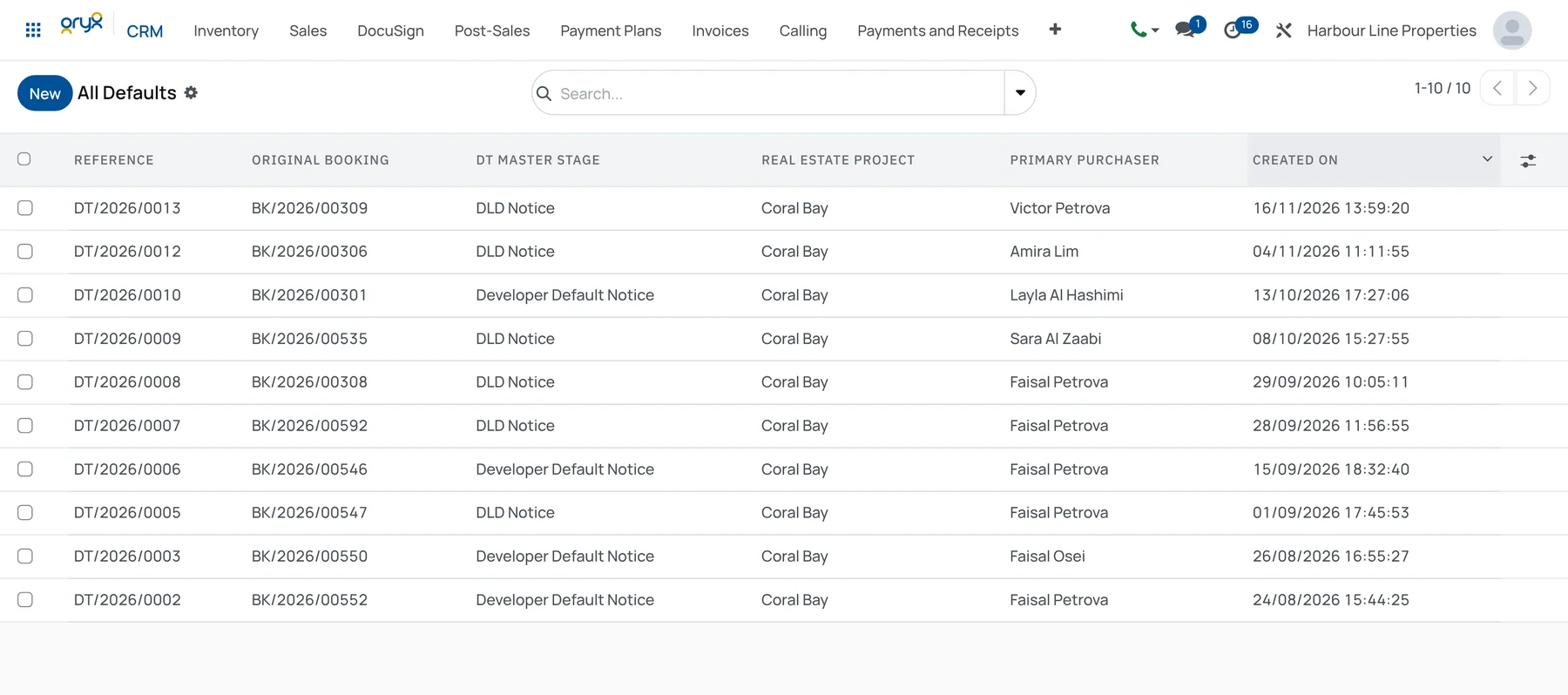
Meet UsMore Collections & Post-sales screens.
Collections & Post-sales questions.
How do payment reminders work?
Reminder emails go out before and after each due date, on the sequence you set. Buyers also see what is due in the customer app.
Can buyers pay by card?
Payments are by bank transfer or cheque. Oryx receipts each payment and matches it to the instalment it paid.
Are post-dated cheques supported?
Yes. Post-dated cheques are recorded and receipted against their instalments.
How are late fees handled?
Late fees can be charged once or on a recurring basis, and waivers go through approval.
How do you handle buyer defaults?
Default notices and termination stages follow the Dubai process, with reminders at each stage and the developer's default notice printed from the booking.
Does Oryx support UAE e-invoicing?
Yes. Oryx sends invoices in the PINT-AE format through Veutel, an accredited service provider.
See your next launch on Oryx.
We show the solutions you pick, on sample data set up like a UAE off-plan project. We reply within one working day.
- No preparation needed
- Your solutions first
- A written proposal after