

Inventory Portal
Sell live units on your own website, with no double bookings.
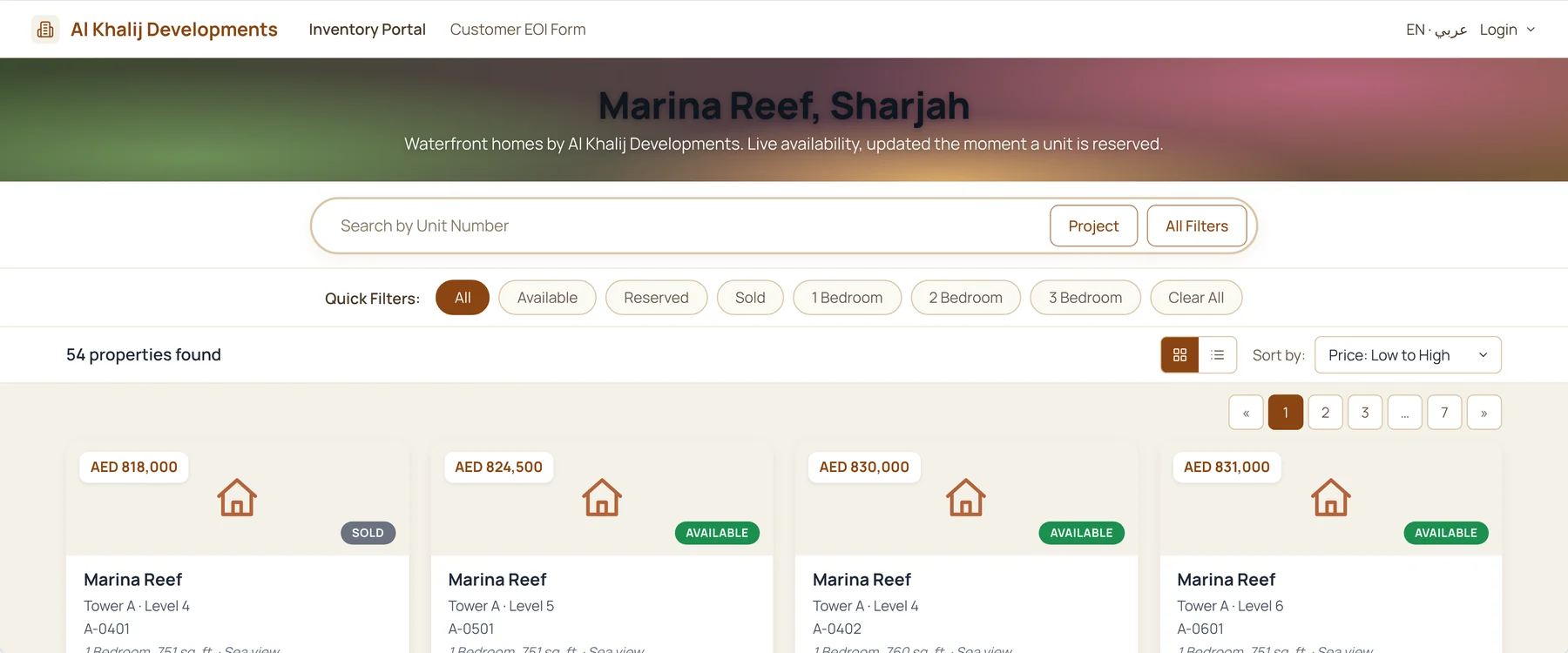
Oryx Inventory Portal shows your live units, prices, floor plans and payment plans on your own website, from the same record your sales office and brokers use, so a unit reserved in Oryx shows as reserved everywhere.
- Sell direct
Buyers reserve online and land straight in your CRM.
- Always right
One record feeds the website, the brokers and the sales office.
- Keep the commission
More direct sales, less paid to intermediaries.
What changes for your team.
| Today | With Oryx |
|---|---|
| Availability lives in a spreadsheet that goes to brokers every morning. | One unit list feeds your website, the broker portal and the sales office. |
| A unit gets offered twice because one copy of the sheet was out of date. | Reserved in Oryx means reserved on every channel that reads from it. |
| Every price change means new PDFs for every agency. | Price lists and payment plans change once, with earlier versions kept. |
How Inventory Portal works.
Live availability, prices and floor plans, in your brand. Reserved in the CRM, gone from the site.
- 1Load
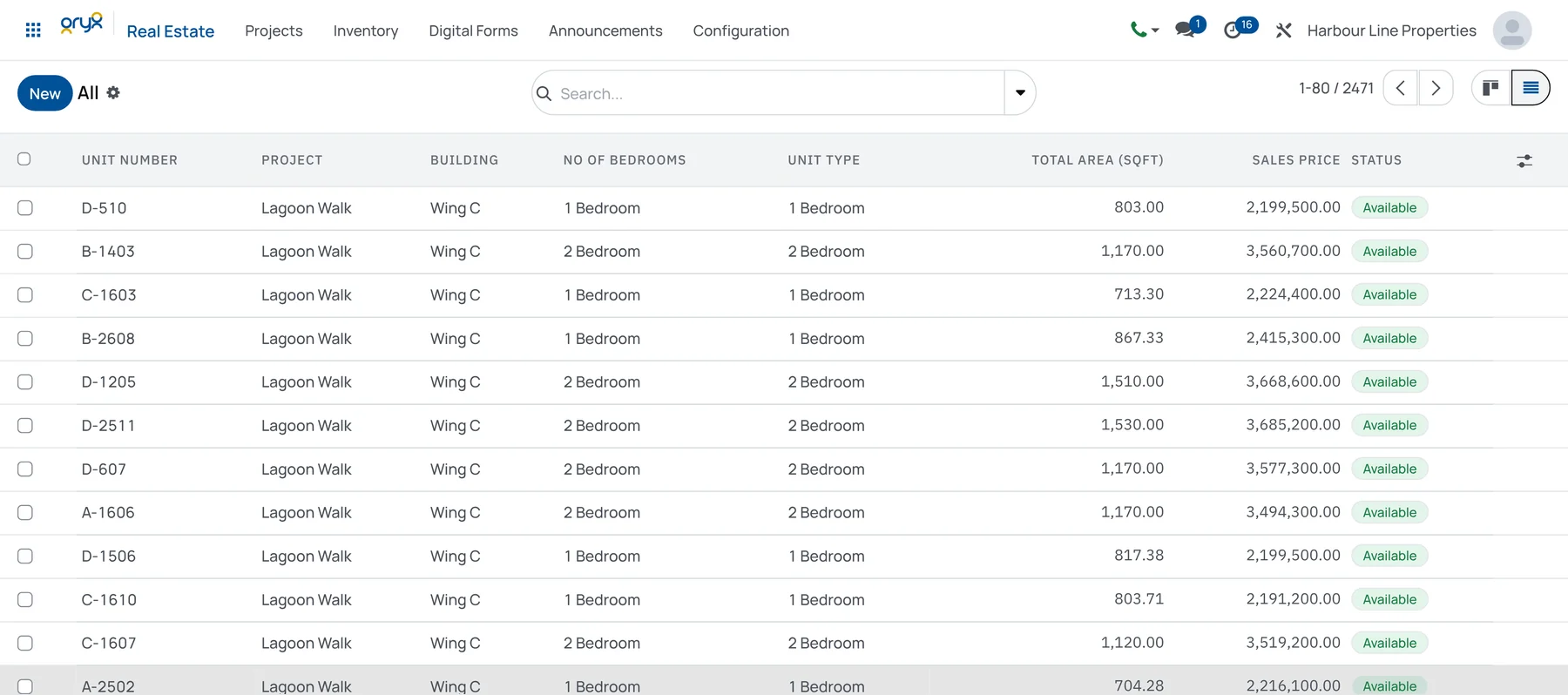
Projects, buildings, floors and units go in once, with type, size, view, price and floor plan.
- 2Price
Price lists and payment plan templates are attached per project. Each change is saved as a new version, so you can see what was on offer and when.
- 3Publish
Your website shows the live list in your brand, with filters by status, bedrooms and price, in English and Arabic.
- 4Reserve
A reservation or EOI from the website, the broker portal or the sales office reaches Oryx as a booking request for your team.
- 5Sell
Status moves from available to reserved, booked and sold, and every channel shows the change.
What's included
- Filters by status, bedrooms and price
- Online reservations and EOIs
- Price lists and payment plans from one record
- English and Arabic
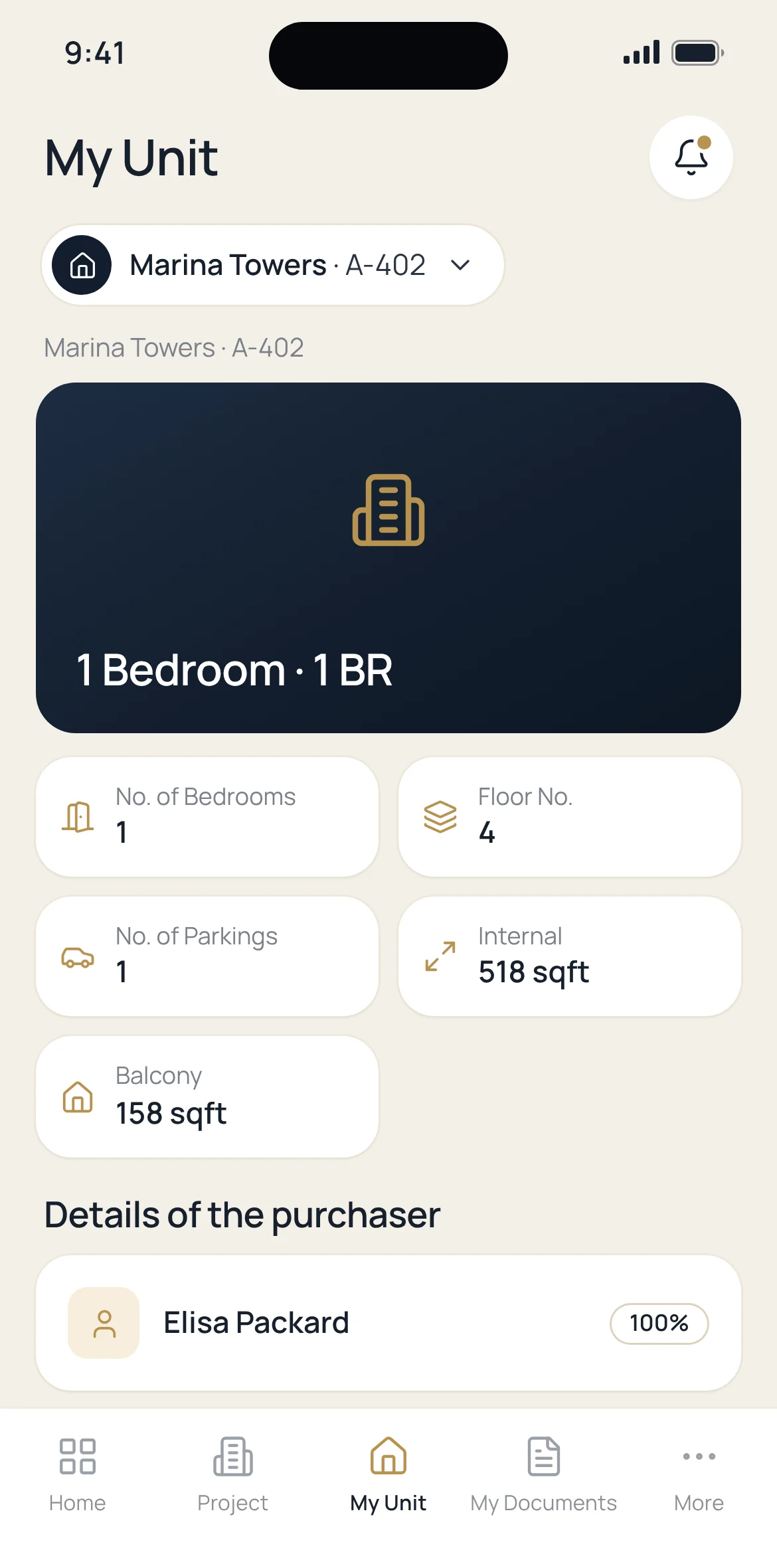
- The same inventory in your buyers' app
- A broker view with sales offers
Works with
- Your website
- Broker Portal
- Sales & Bookings
- Customer App
In the UAE
- Launch days
Off-plan launches can sell a building in days. One live list stops the same unit being promised to two buyers.
- Payment plans that sell
Down payment, construction-linked and post-handover instalments are set per project, and buyers see them next to the price.
- English and Arabic
Unit pages and filters work in both languages.
Who uses it
- Sales directorSets prices and releases units for sale.
- Sales adminKeeps units, holds and price lists up to date.
- MarketingRuns the website the live list sits on.
- AgenciesSee the same availability through the Broker Portal.
See Inventory Portal on your kind of project. We set up sample data like a UAE off-plan launch and show the steps your team runs.
Meet UsMore Inventory Portal screens.
Inventory Portal questions.
Does the inventory show on our own website, in our brand?
Yes. The live list sits on your website in your colours and logo. The screens on this site use a made-up developer brand.
What can buyers filter by?
Status, bedrooms and price, with the floor plan and payment plan for each unit.
Is it available in Arabic?
Yes. The inventory pages work in English and Arabic.
What happens when a price changes?
You change the price list once in Oryx. The website, the broker portal and the sales office show the new figure, and earlier versions are kept for reference.
How do brokers see the same units?
Through the Oryx Broker Portal, which reads the same live list, with sales offers for each unit.
See your next launch on Oryx.
We show the solutions you pick, on sample data set up like a UAE off-plan project. We reply within one working day.
- No preparation needed
- Your solutions first
- A written proposal after