
Oryx
Meet Us Take the screen tour

CRM and operations suite for UAE off-plan developers Run lean. Track everything.

Oryx puts your leads, bookings, contracts, collections, escrow, construction updates and handover on one live record, so a smaller team sells more units and misses no payment.

We show the solutions you pick, on sample data, and reply within one working day.

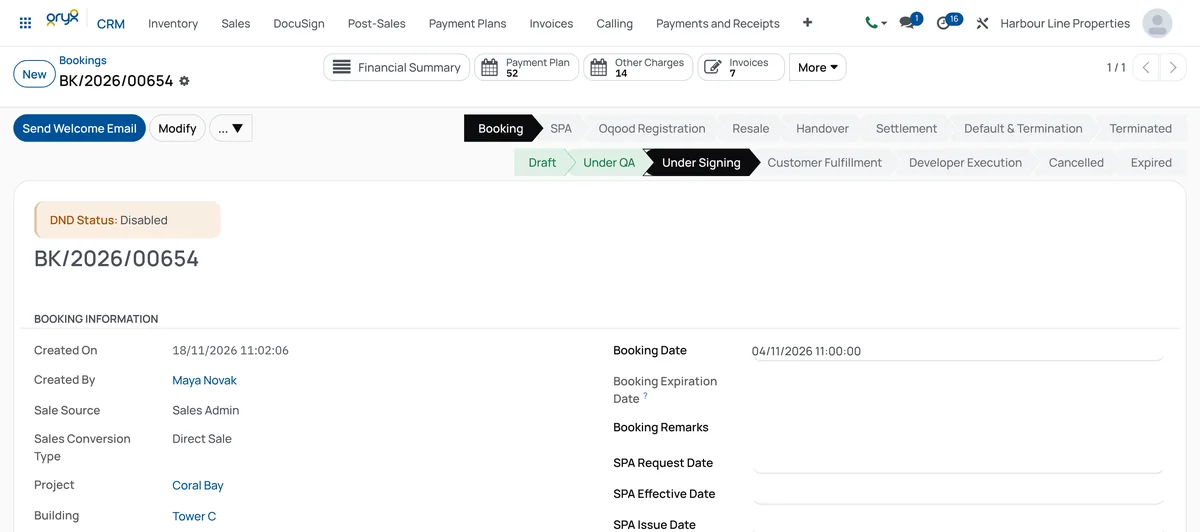
Booking record. Unit, buyer, price, plan and stage on one record.

Booking record: Unit, buyer, price, plan and stage on one record. Sample data.
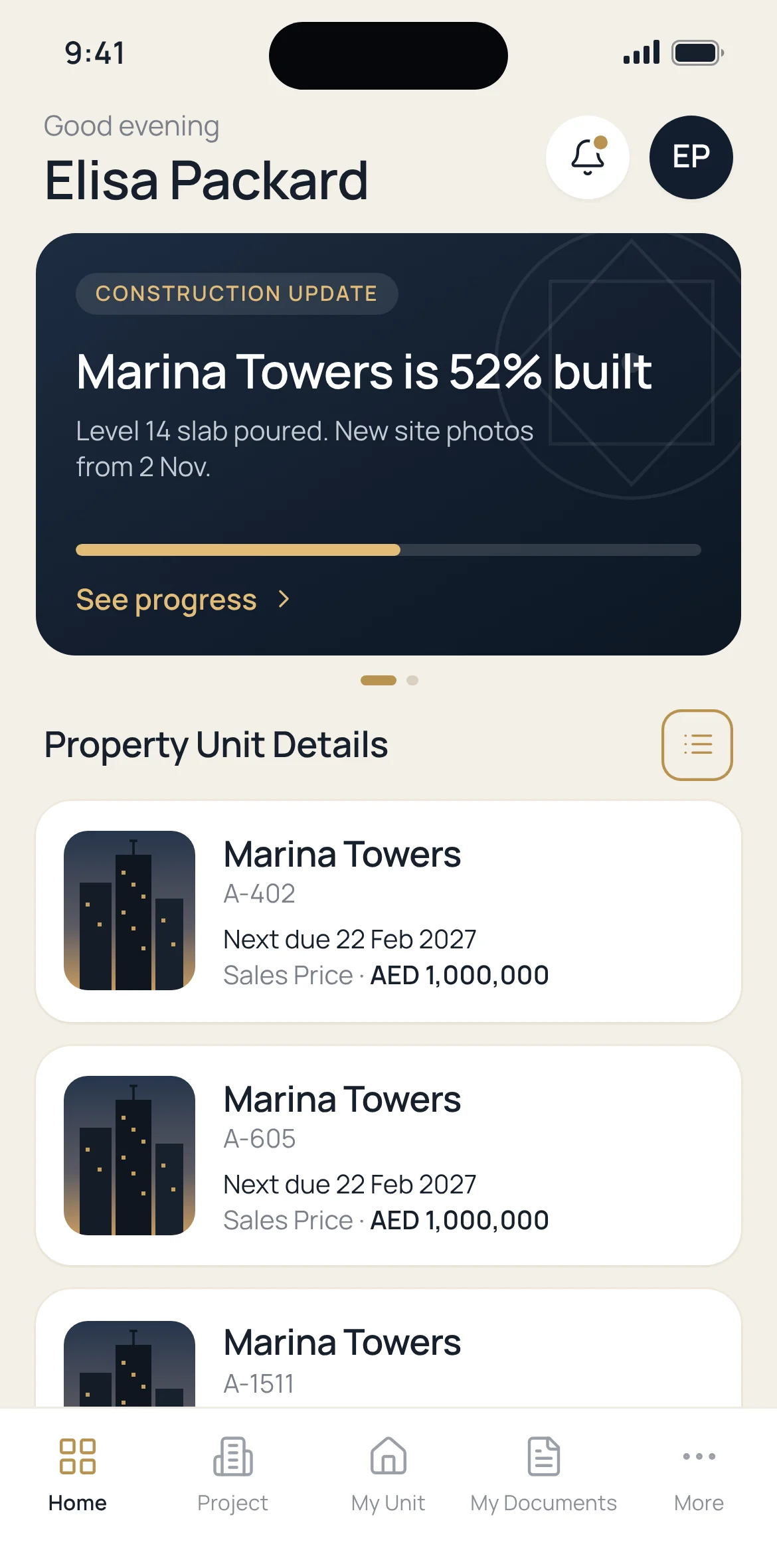
The customer app home in a developer's brand: construction news and every unit
Oryx on a desktop, ten screens in turn, and in the buyer's app. Sample data.

What a lean team runs on Oryx today.

Live totals from the developers on Oryx. Every figure comes from records in the system, not a survey.

  • AED 10.43BSold value under contract
  • AED 4.17BCollected and receipted
  • 5,139Units on one register
  • 3,307RAs processed
  • 3,168SPAs processed
  • 48,287Invoices and receipts posted
  • 10,371 hrs*
    Manual work saved, estimated
  • AED 695K*
    Staff cost saved, estimated

How much routine work would your team get back?

Move the sliders to your portfolio. The estimate uses the same method as the full calculator.

600
2

Team sized from your portfolio: 6 sales, 6 operations, 6 finance, 4 customer service, 2 projects.

3,830hours of routine work saved a year
AED 257Kin resource cost saved a year
See the full breakdown

An estimate from the documents Oryx produces today and a draft of routine admin per person. Every assumption is on the calculator page.

From the first enquiry to the final key, on one record.

Fifteen solutions in four stages. Pick one to see its screens and what it does. Start with the ones you need and add the rest as you launch.

1 Sell

Sell every unit once, to the right buyer.

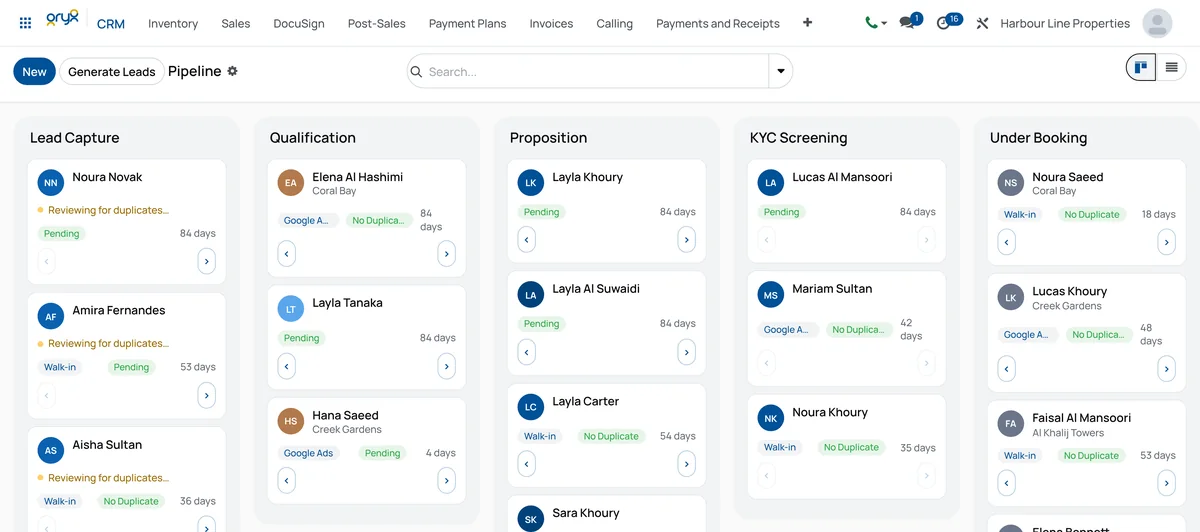
Enquiries from ads, portals, your website, brokers and walk-ins land in one pipeline, checked for duplicates. Buyers, agencies and your sales office see the same live units, and the booking, SPA and Oqood steps run on one record.

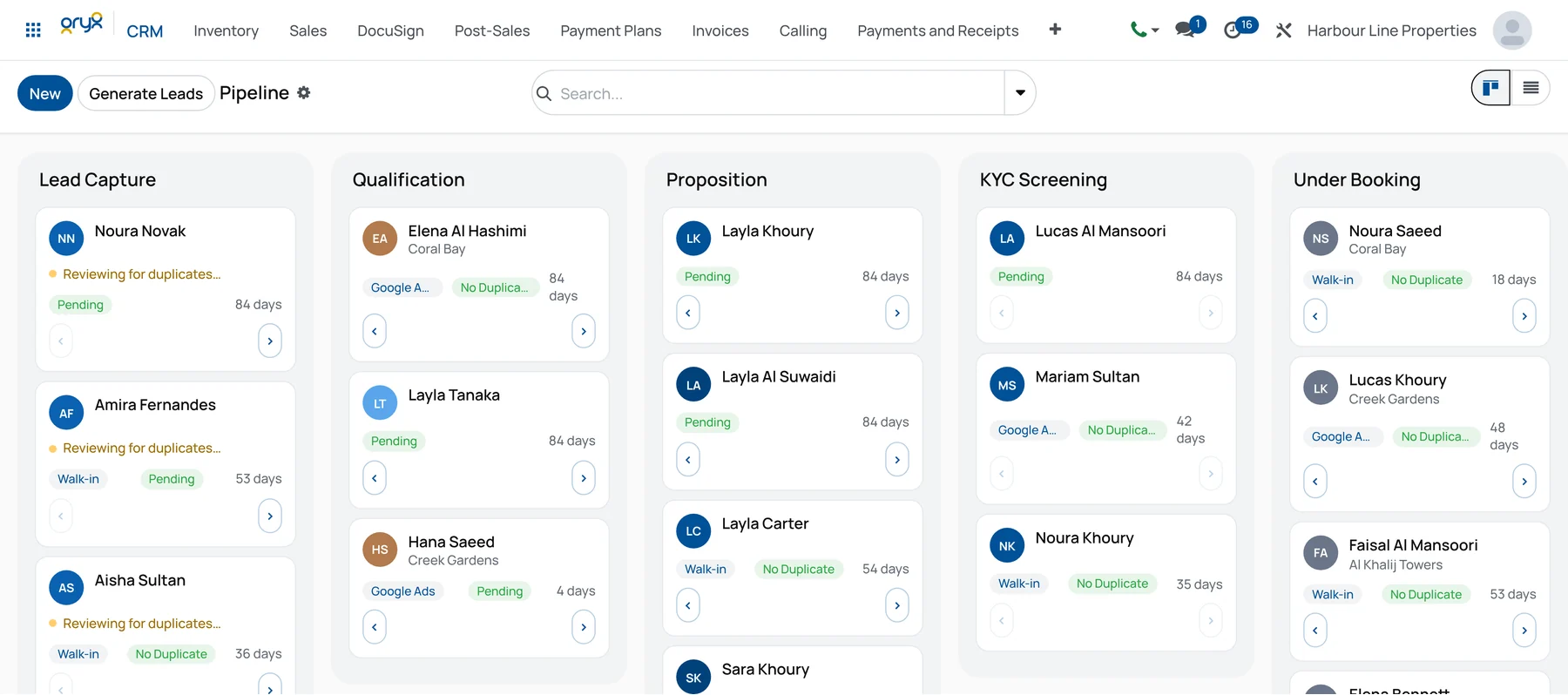
Leads & Marketing: Leads pipeline
Leads pipeline. Every lead from capture to booking, with the duplicate check on each card.
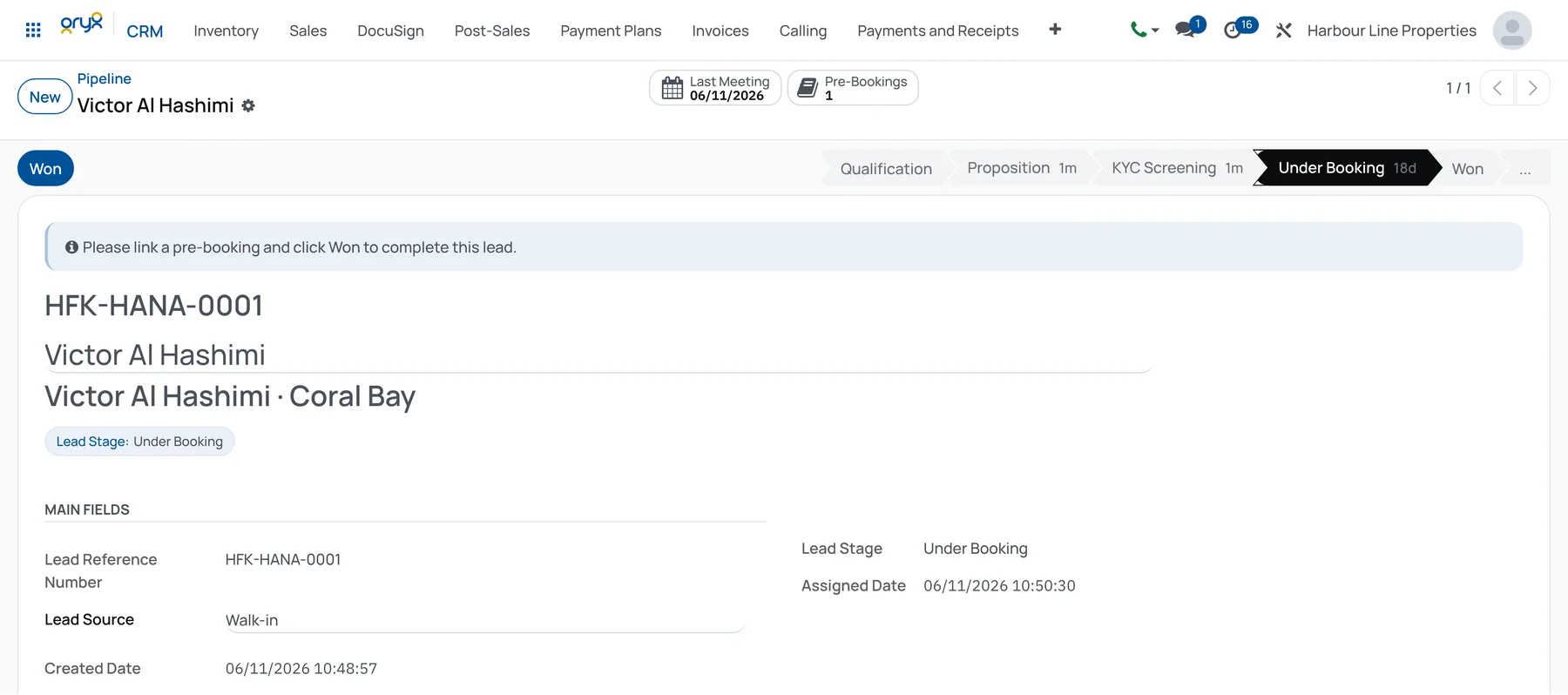
Leads & Marketing: Lead record
Lead record. Stage, source and the next step on one record.
1 / 2

What Leads & Marketing does

  • Duplicate check on every lead
  • Assignment by project, language or country
  • WhatsApp and email from the lead
  • Automated KYC screening
  • Your own lead database for future launches
  • Sales offers in real time
Learn more
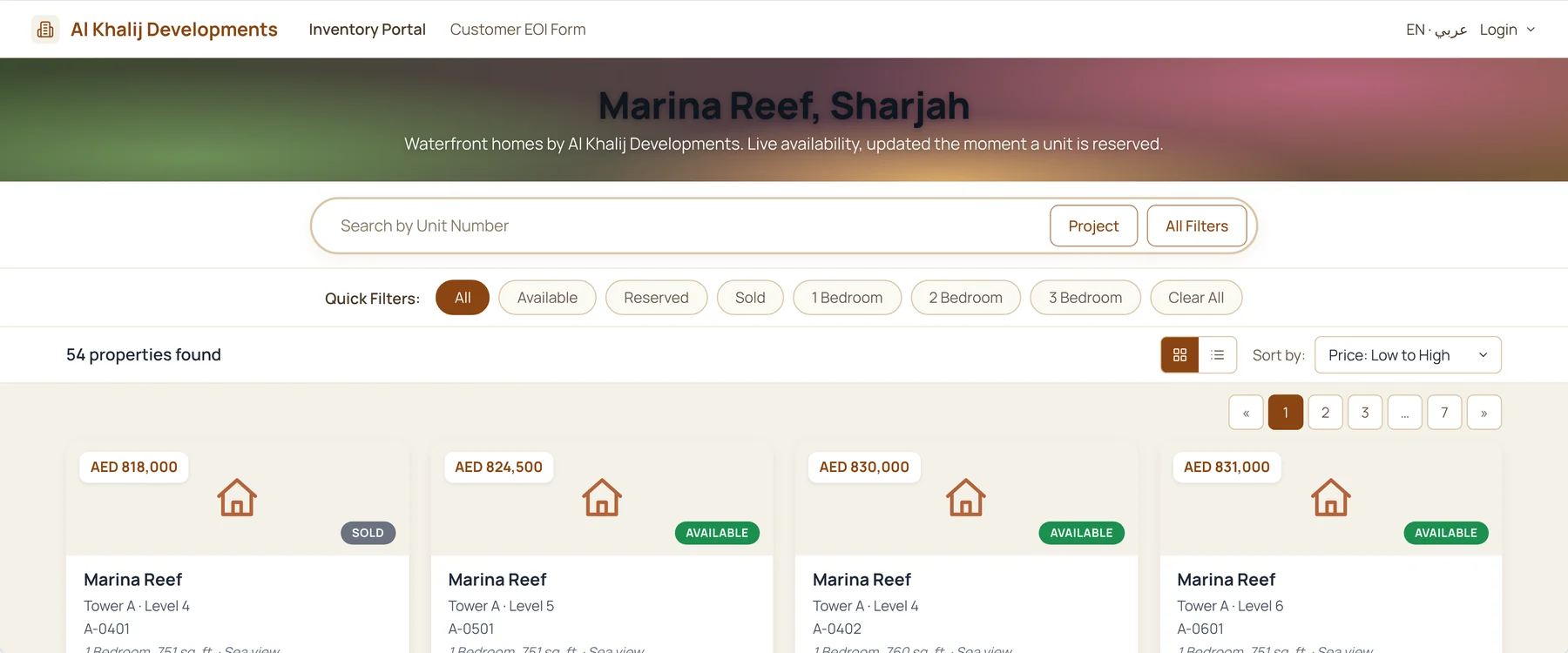
Inventory Portal: Your website
Your website. Buyers filter live units in your brand. Shown in a sample developer brand.
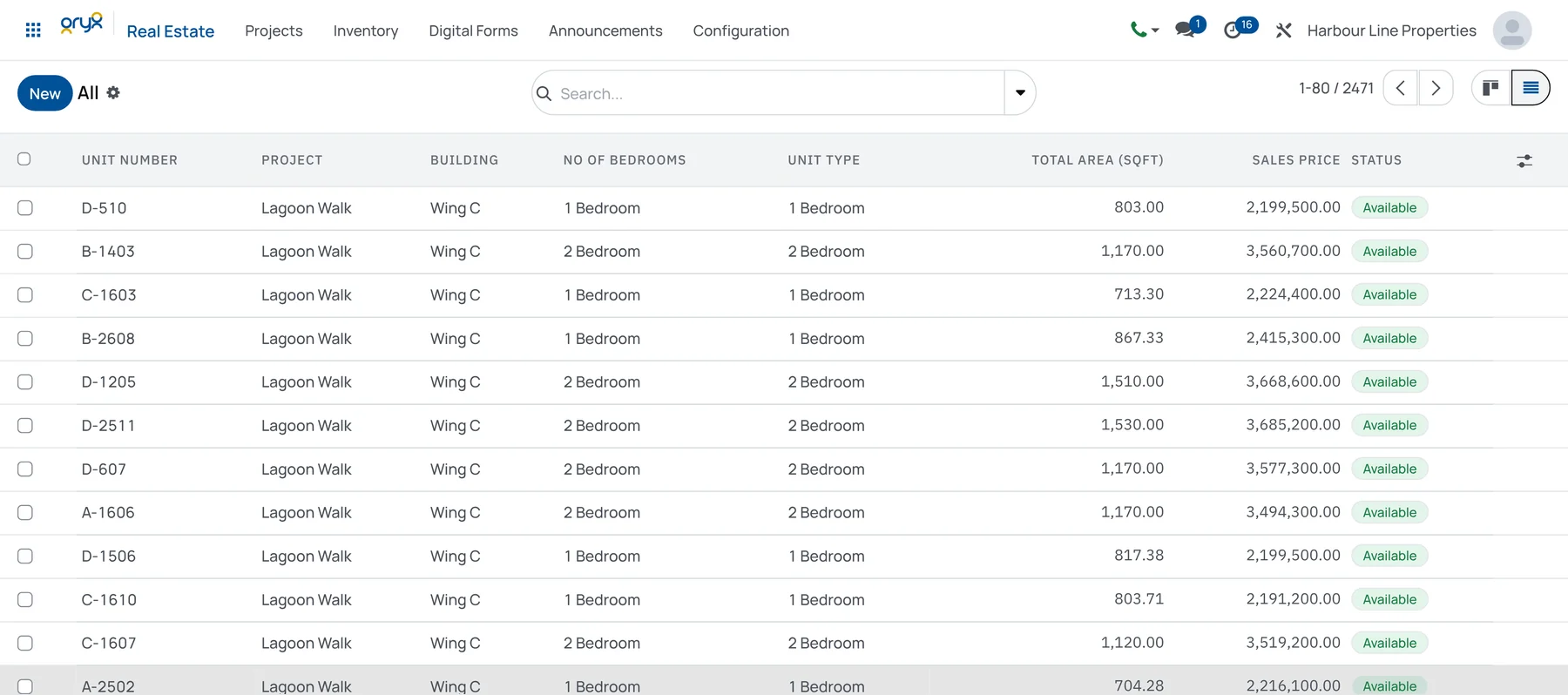
Inventory Portal: Inventory back office
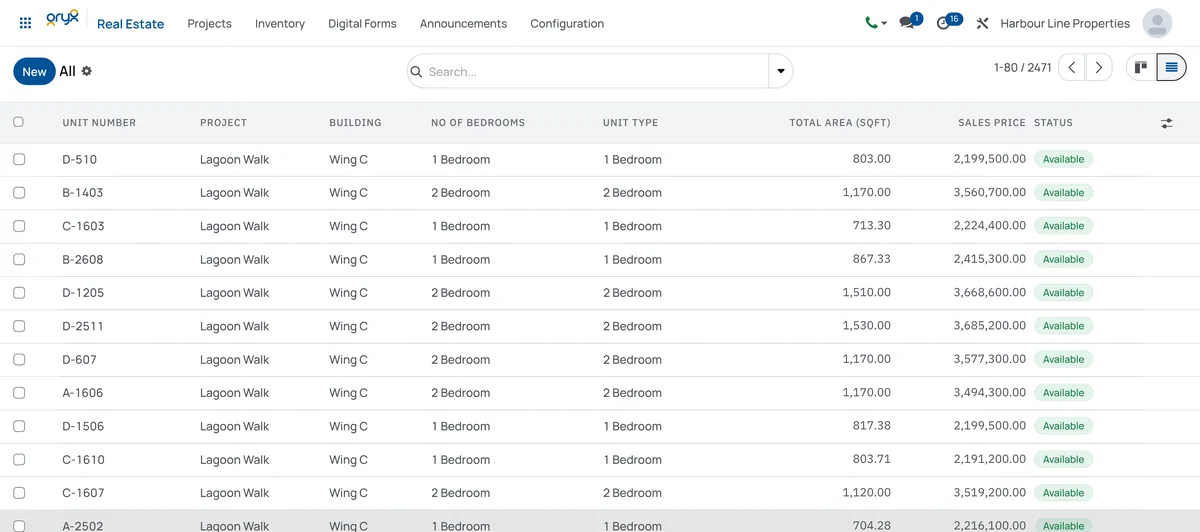
Inventory back office. Every unit with its project, building, size, price and status.
1 / 2

What Inventory Portal does

  • Filters by status, bedrooms and price
  • Online reservations and EOIs
  • Price lists and payment plans from one record
  • English and Arabic
  • The same inventory in your buyers' app
  • A broker view with sales offers
Learn more
Broker Portal: Broker portal
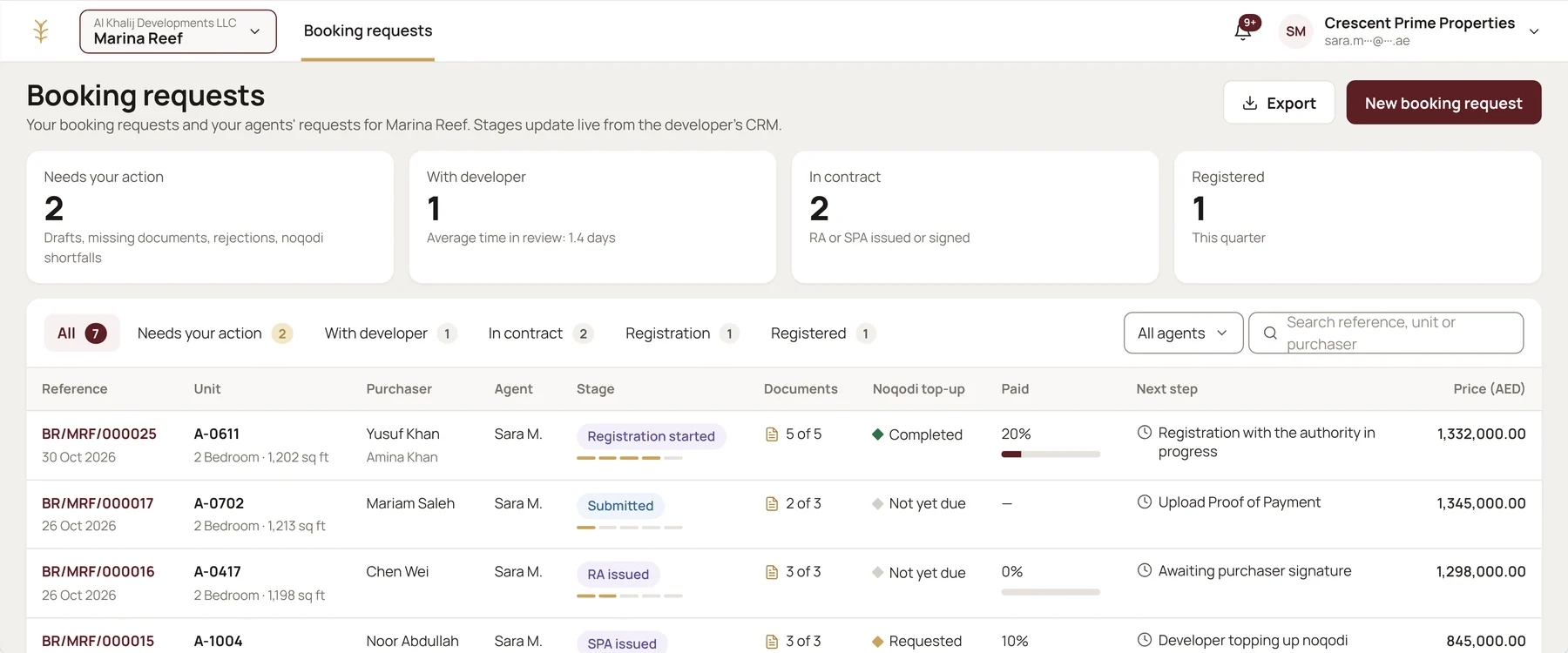
Broker portal. Agencies follow every booking request to registration.
Broker Portal: Agency management
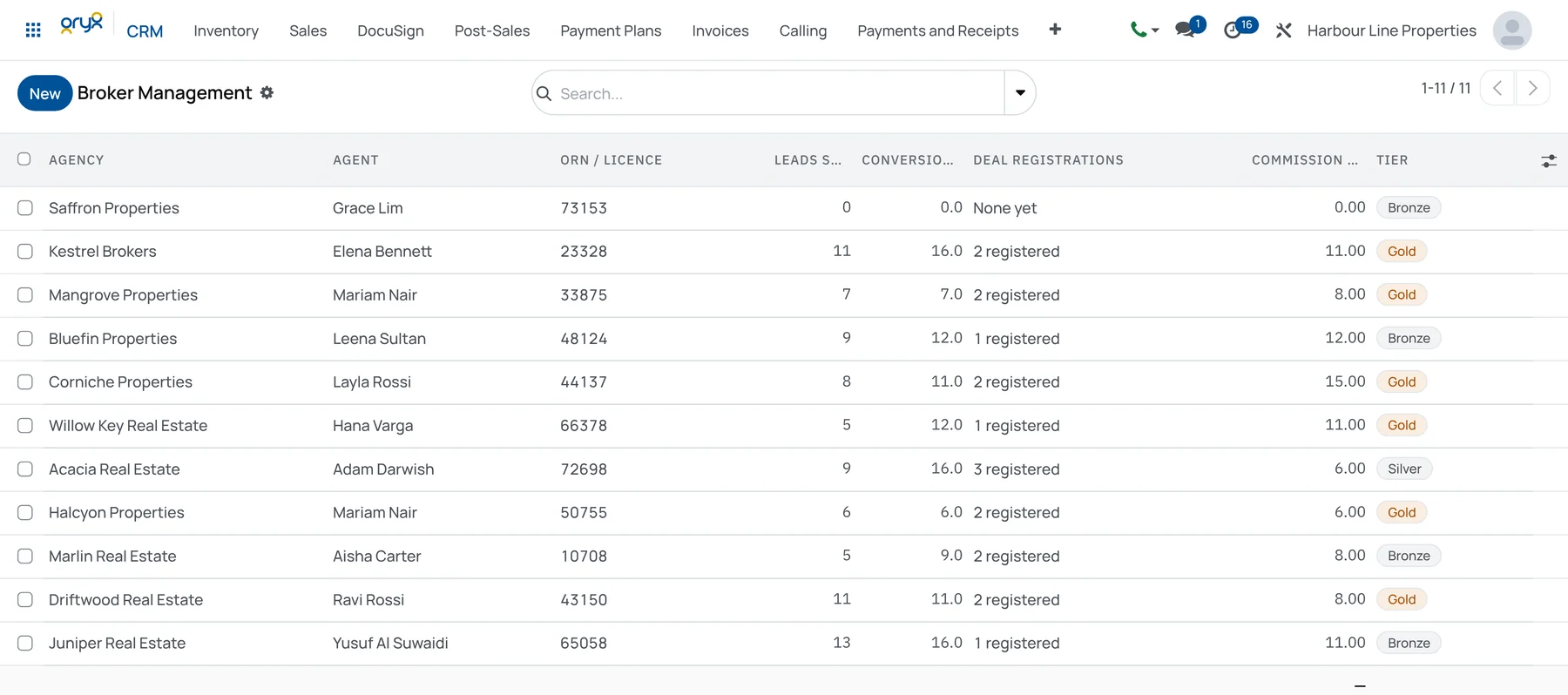
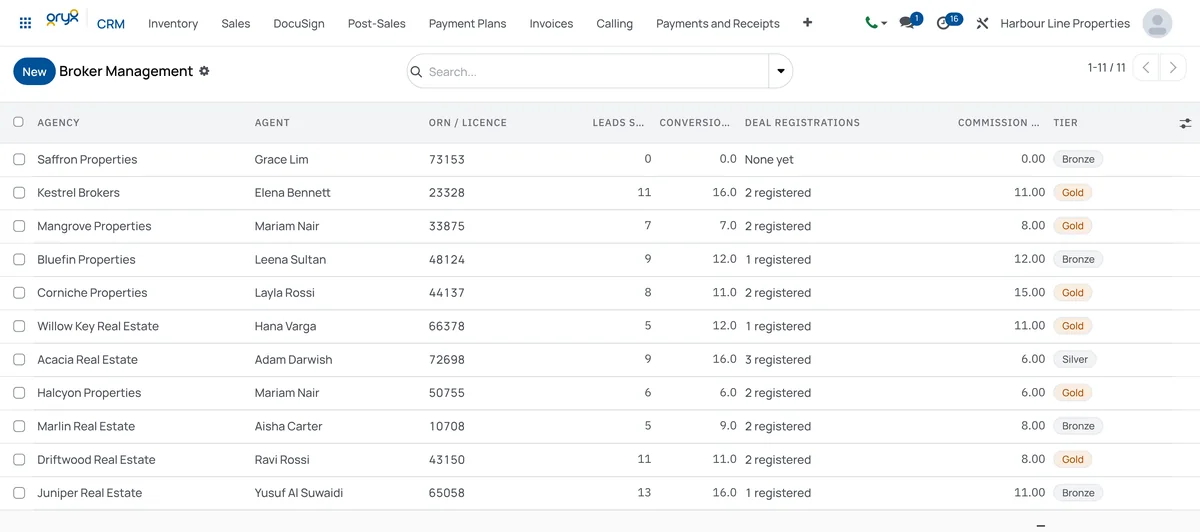
Agency management. Agencies, lead agents, licence numbers, conversion and commission in one list.
1 / 2

What Broker Portal does

  • Requests tracked to registration
  • noqodi top-up status
  • Booking summary PDF
  • ORN and licence details
  • Commissions and allocation per agency
  • Phone, tablet and desktop
Learn more
Sales & Bookings: Booking record
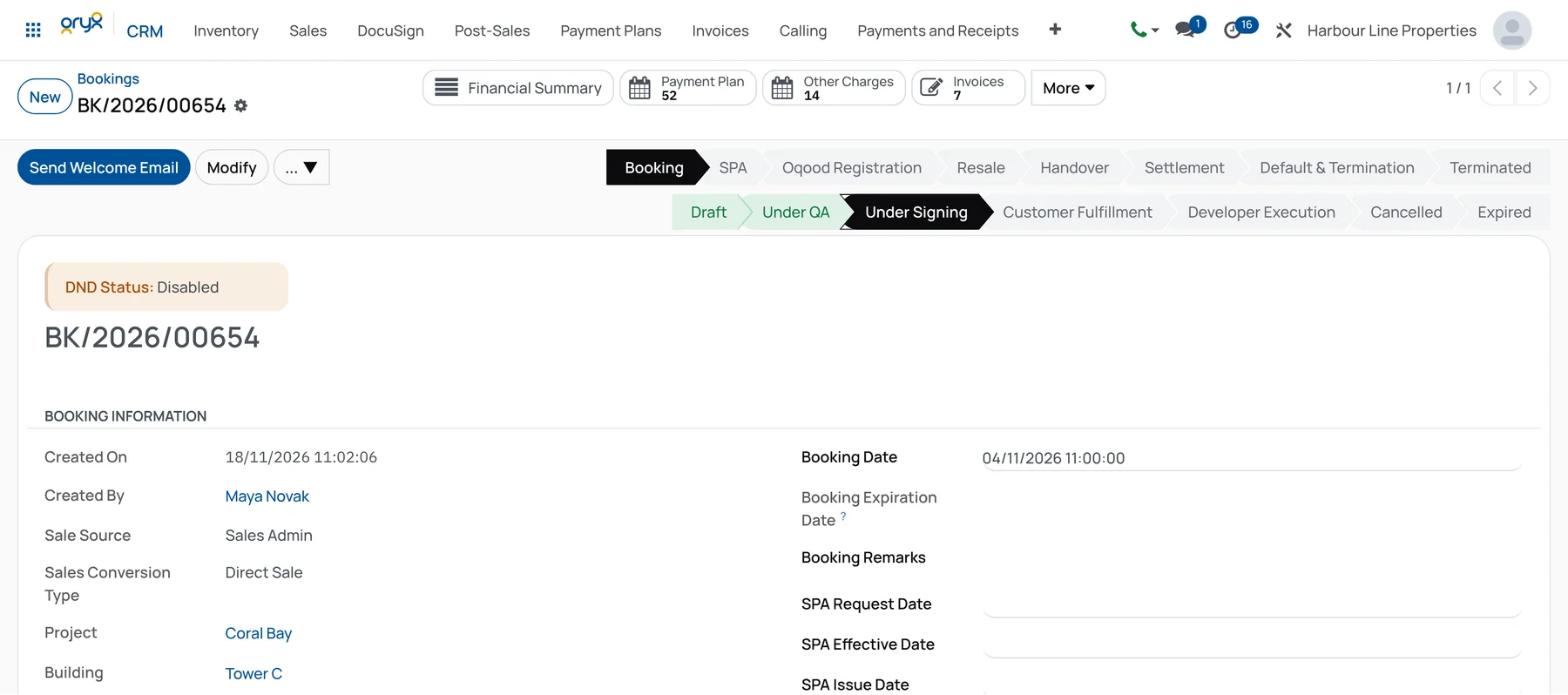
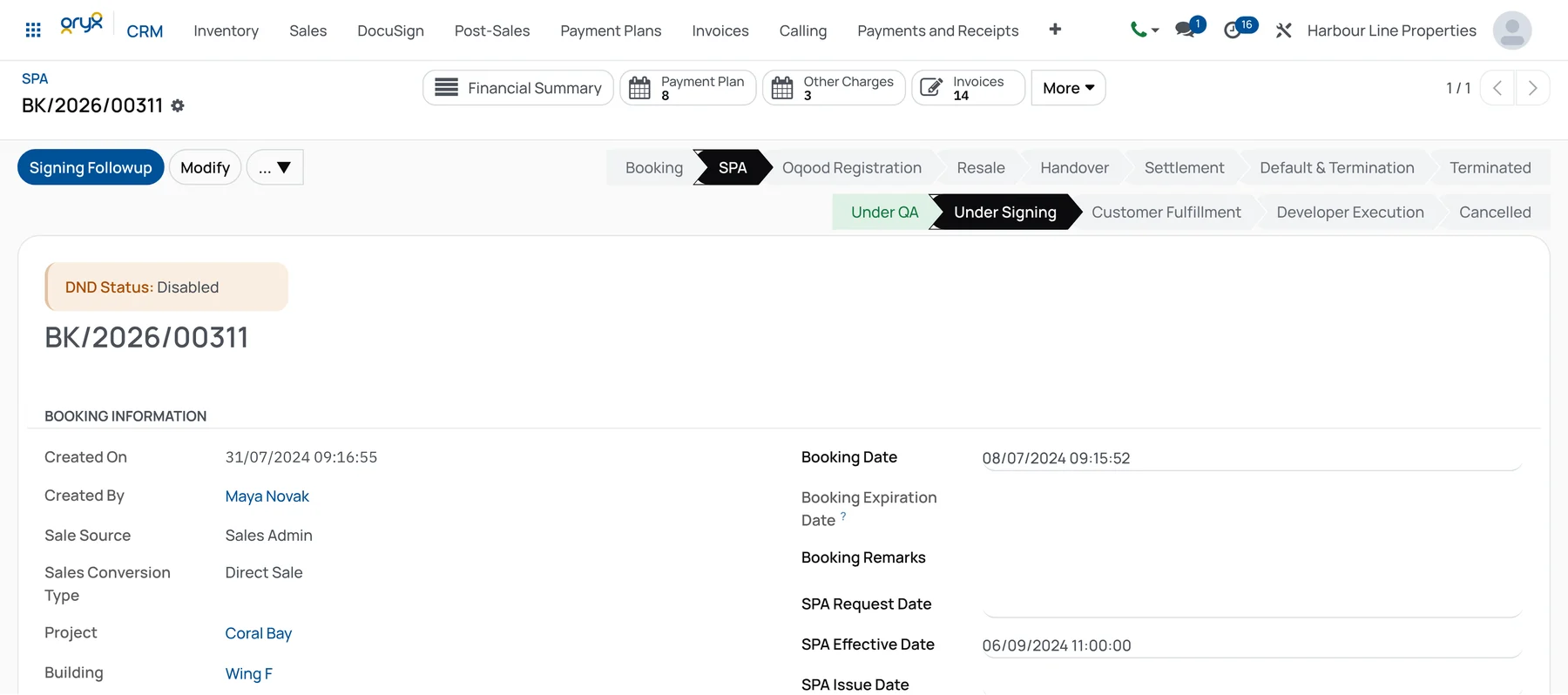
Booking record. One record from booking to handover, with the stage and sub-stage always in view.
Sales & Bookings: Bookings
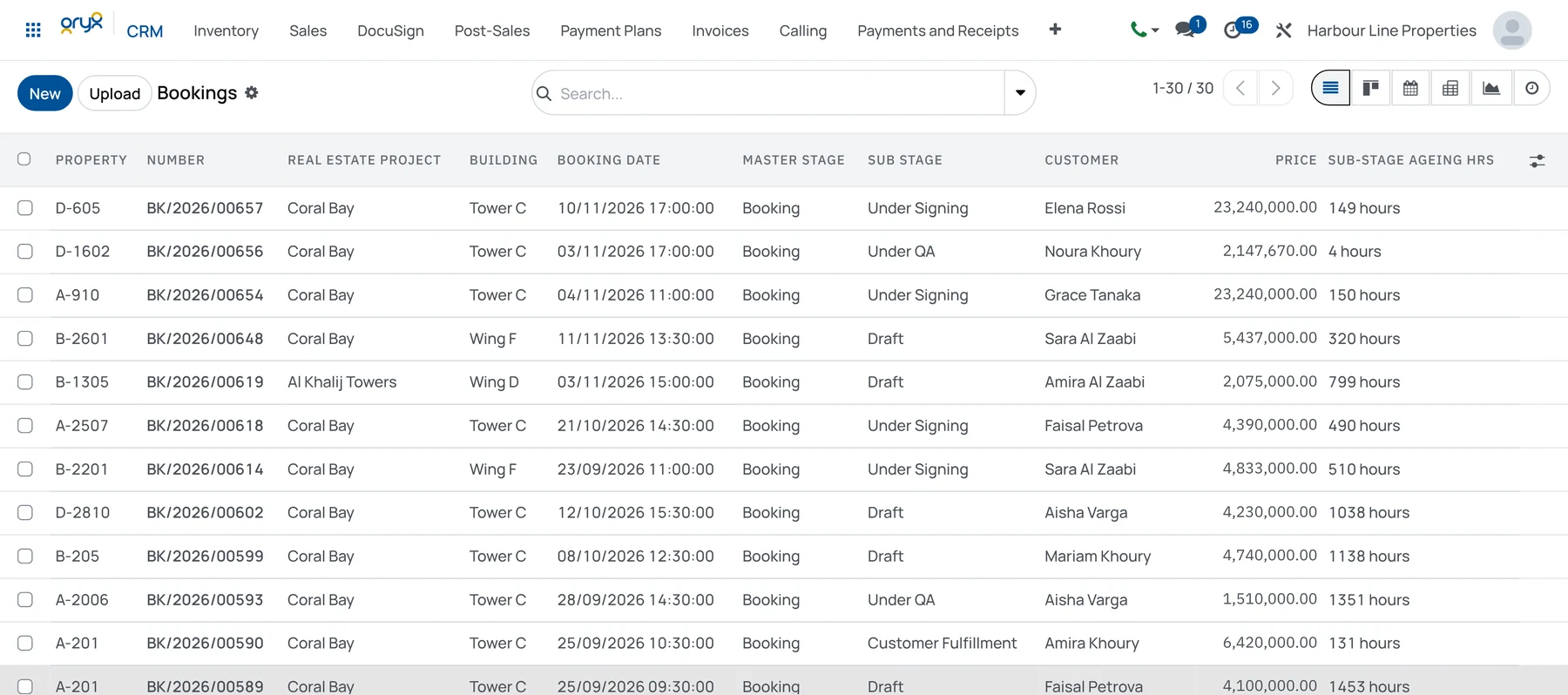
Bookings. Every booking with its unit, stage, buyer and price.
1 / 2

What Sales & Bookings does

  • Booking prefilled from the won lead
  • Sales offers and EOIs
  • Payment plan templates per project
  • IDs read automatically
  • Statuses from available to sold
  • Customer emails at every stage
Learn more
Contracts & Registration: Contract stage on the booking
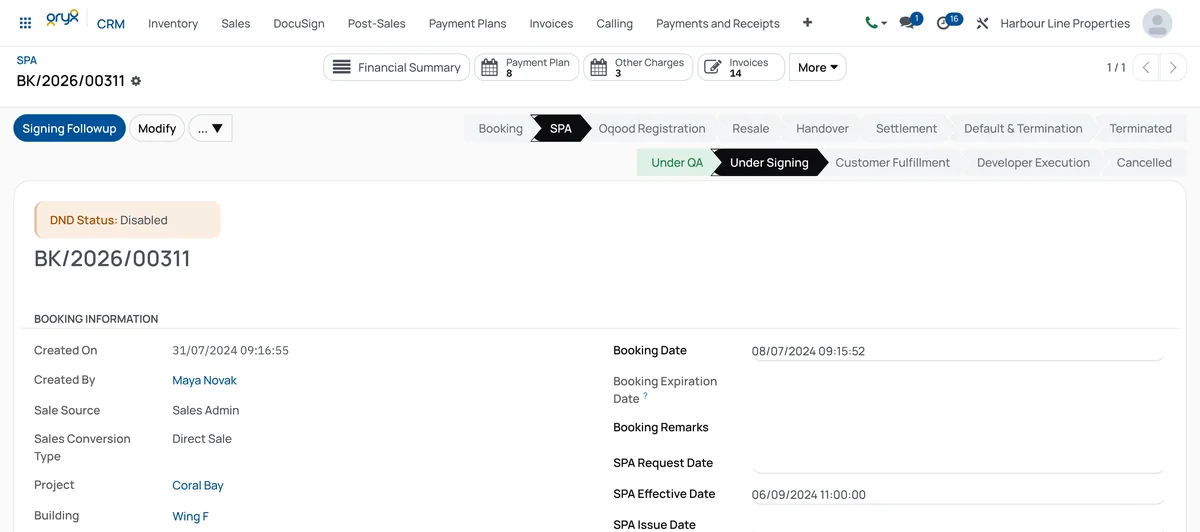
Contract stage on the booking. The SPA stage and sub-stage, the signing follow-up and the SPA dates on the booking itself. Signing runs through DocuSign.

What Contracts & Registration does

  • Word templates with merge fields
  • English and Arabic contracts
  • DocuSign signing order per step
  • AI contract check before approval
  • AI signature check against the ID
  • Oqood for Dubai and RAK
  • Password-protected PDFs
Learn more

2 Finance

Collect on time. Pay from the right account.

Each buyer's schedule comes from their payment plan, reminders go out around every due date and receipts match to instalments. Contractor bills are certified before they are paid, from the escrow or corporate account the rules allow.

Collections & Post-sales: Payment schedule
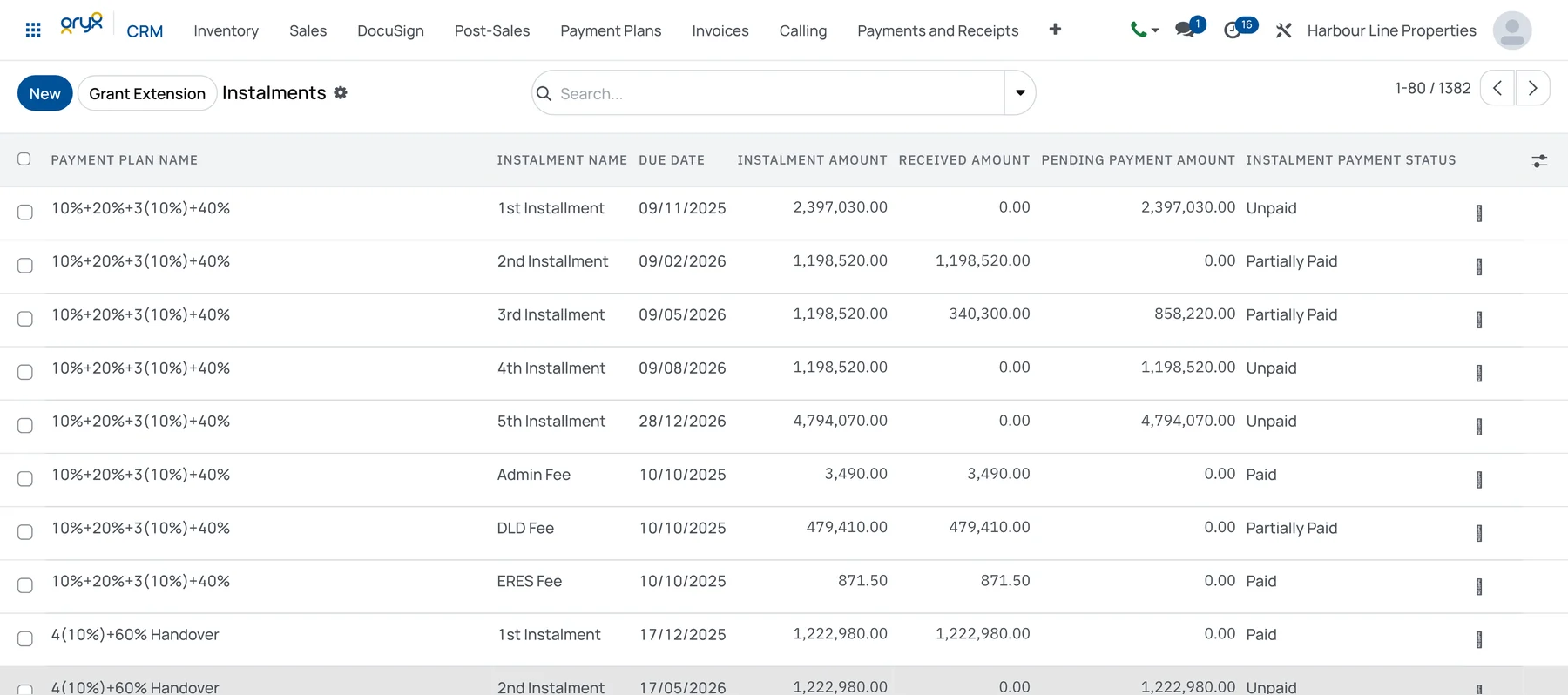
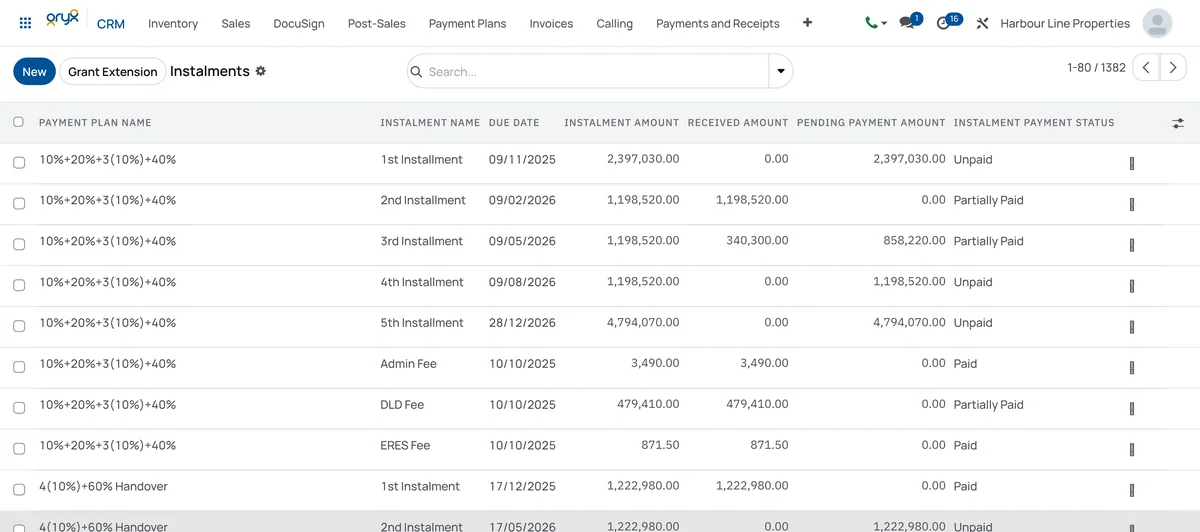
Payment schedule. Every instalment with what is due, received and still pending.
Collections & Post-sales: Collections calling list
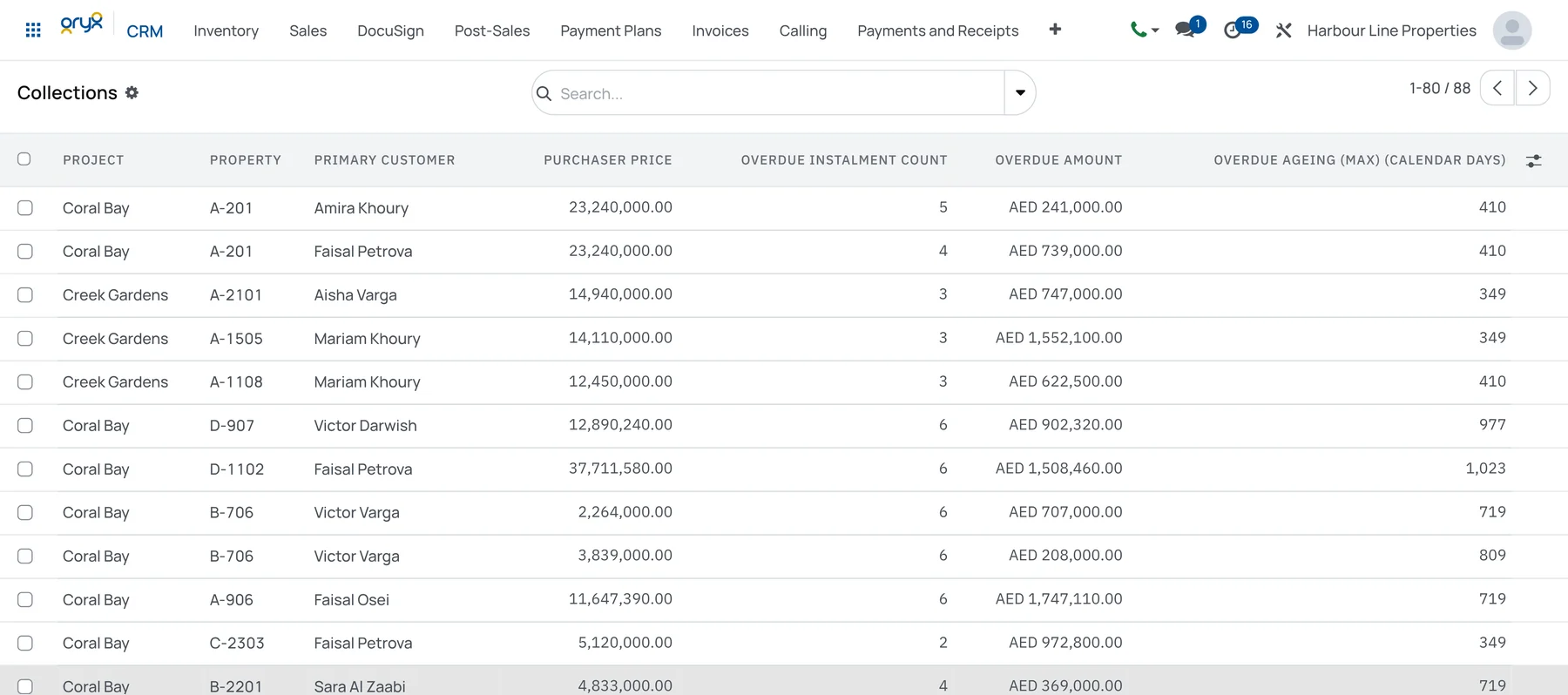
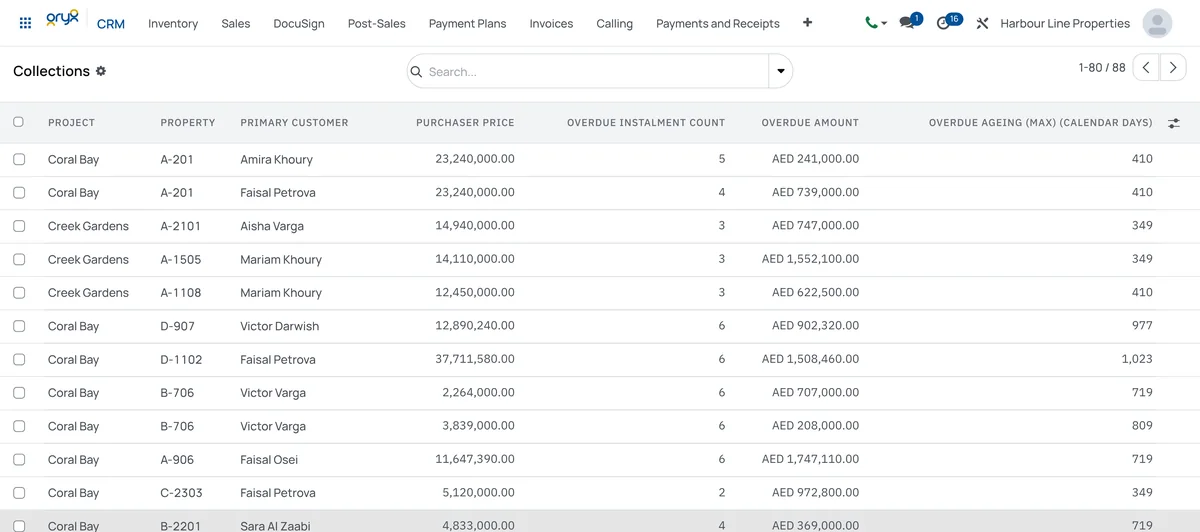
Collections calling list. Buyers with overdue instalments, the amount overdue and the last call.
Collections & Post-sales: Resale
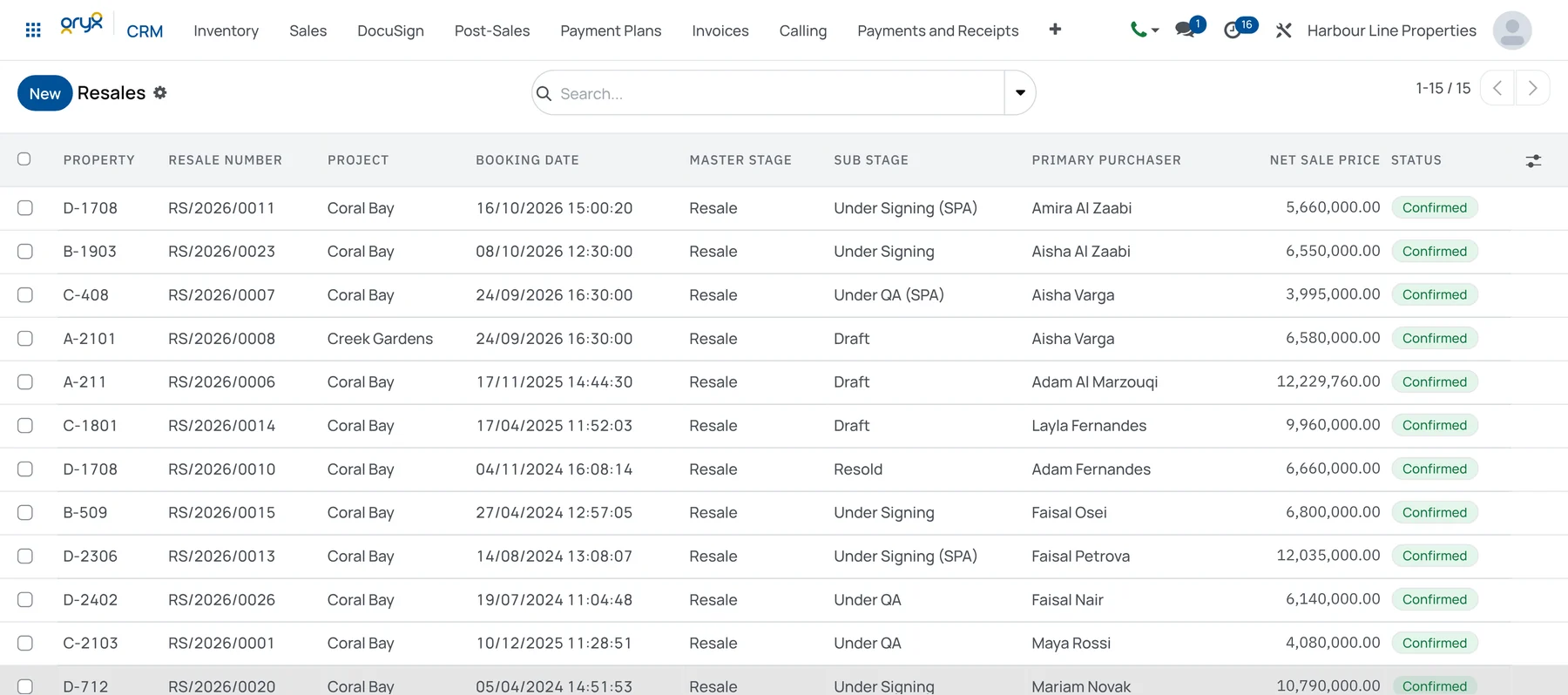
Resale. Resale bookings stage by stage, with the buyer and the price.
Collections & Post-sales: Default and termination
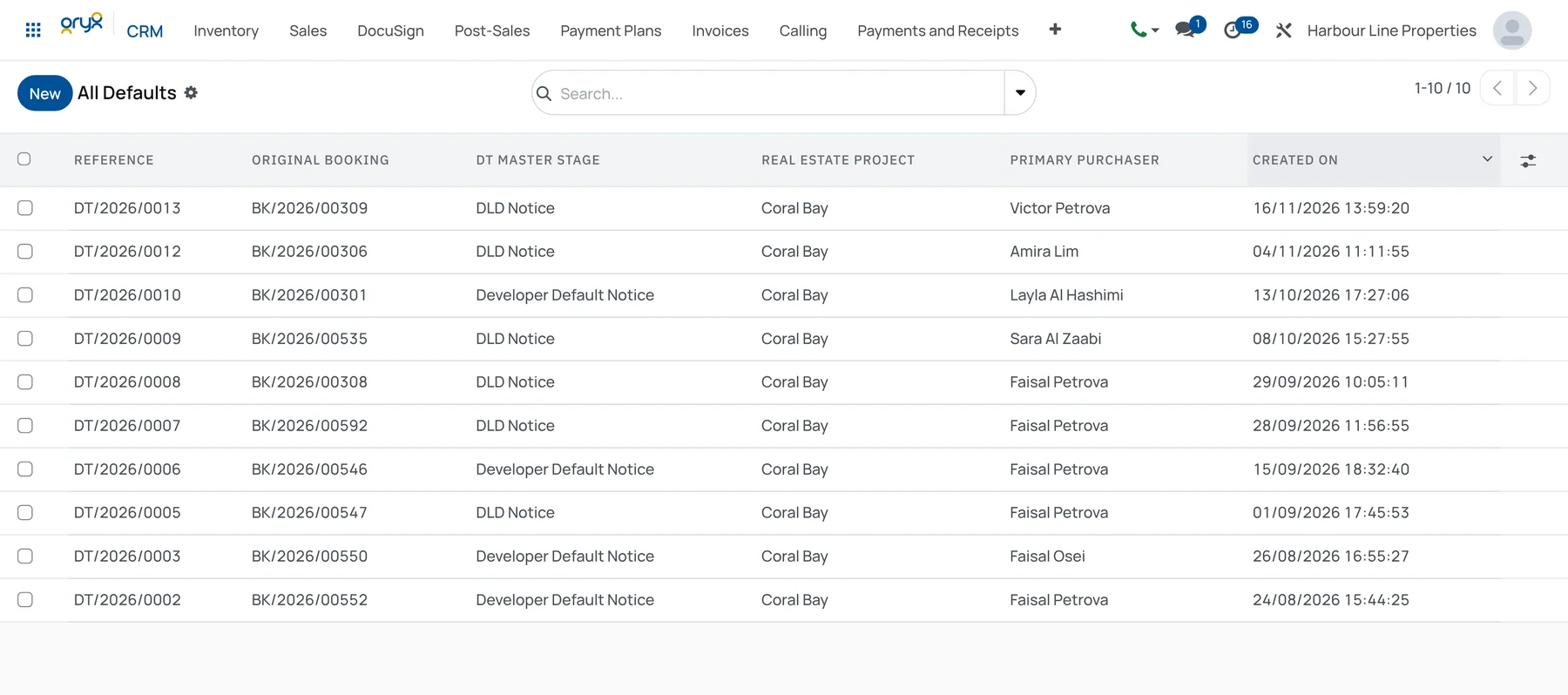
Default and termination. Each case linked to its booking, from notice to termination.
1 / 4

What Collections & Post-sales does

  • Schedule straight from the payment plan
  • Reminder sequences
  • Customer payment rating, A to E
  • Late fees and waivers
  • Resale with NOC
  • Default notices with DLD stages
Learn more
Vendor bills. Sample data, set up like a UAE off-plan project.

What Vendors & Payables does

  • Vendor and contractor records
  • Contracts, advances and retention
  • Certification of invoices and fees
  • Maker-checker approvals
  • Paid from escrow or corporate
  • Guarantees tracked to expiry
  • Payment history per vendor
Learn more
Marina Reef escrow. Sample data, set up like a UAE off-plan project.

What Escrow does

  • Project escrow and sub-escrow accounts
  • Threshold with declared and actual cost
  • Escrow officer prepares, admin approves
  • RERA inspections every 90 days
  • Retention release by the rules
  • Profit withdrawal with a set buffer
  • Buyer refunds and account closure
Learn more

3 Build

Show progress. Hand over the keys.

Milestones and site photos reach buyers in their app the day they are posted. Snagging runs room by room on a phone, through contractor fixes to the keys and the title deed.

Construction Progress: Construction in the app
Construction Progress: Construction in the app, second screen
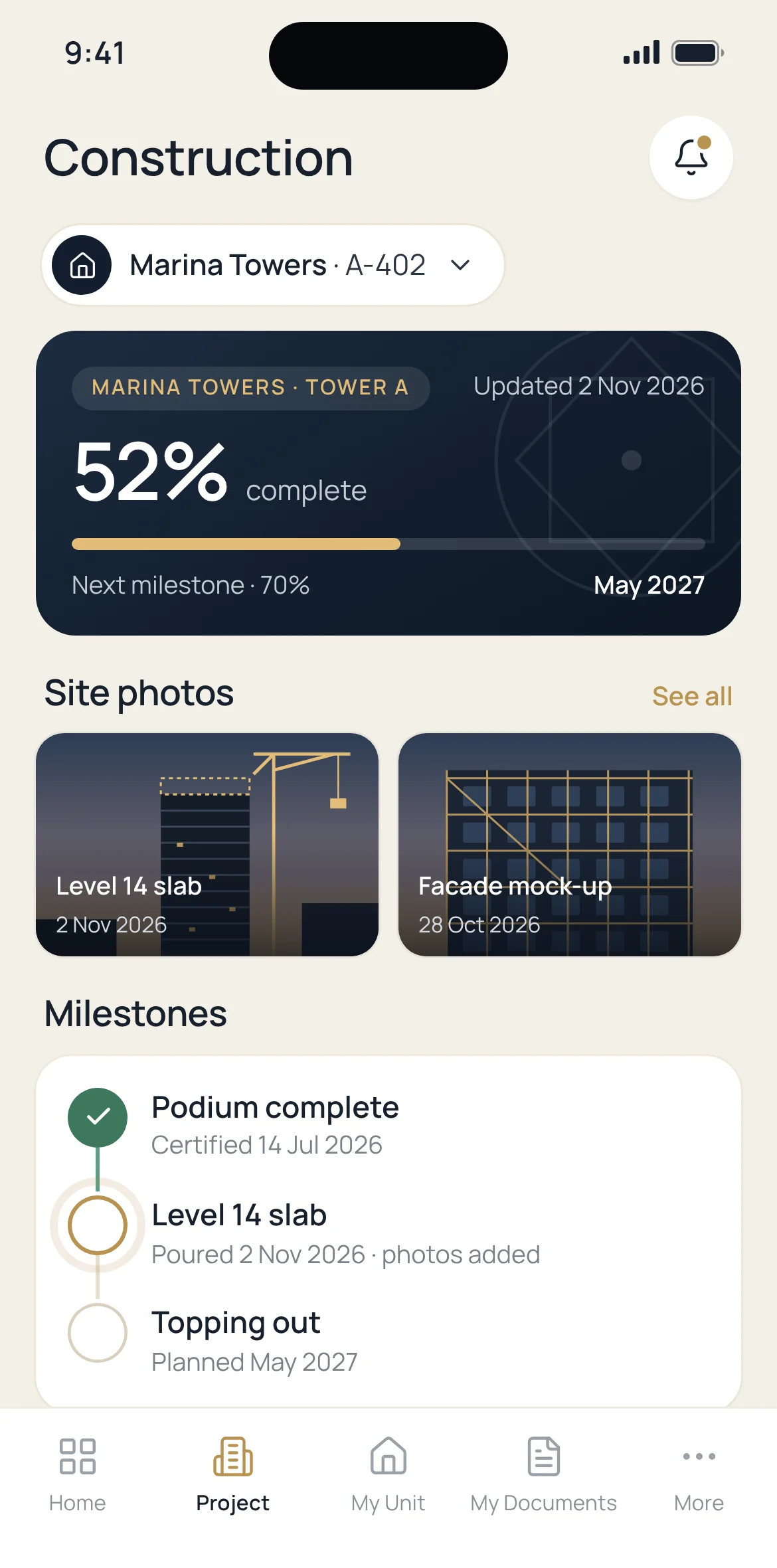
Construction in the app. Milestones and site photos as they happen, with the latest news on the home screen.
Marina Reef, Tower A. Sample data, set up like a UAE off-plan project.
1 / 2

What Construction Progress does

  • Milestones per building
  • Site photos and updates
  • Progress certified by the consultant
  • Inspection reminders
  • Progress in the customer app
  • Announcements and new launches
Learn more
Handover & Snagging: Snagging projects and rounds
Handover & Snagging: Snagging projects and rounds, second screen
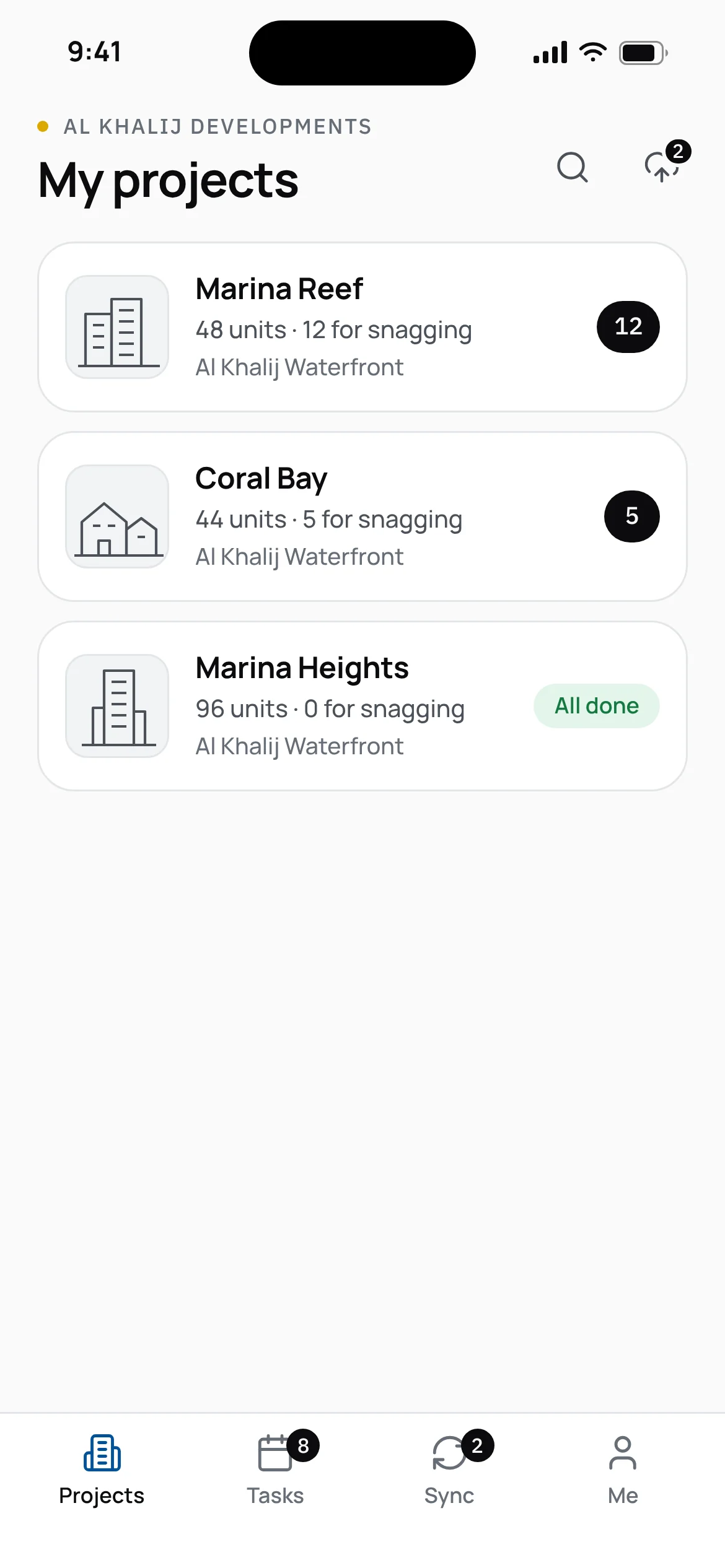
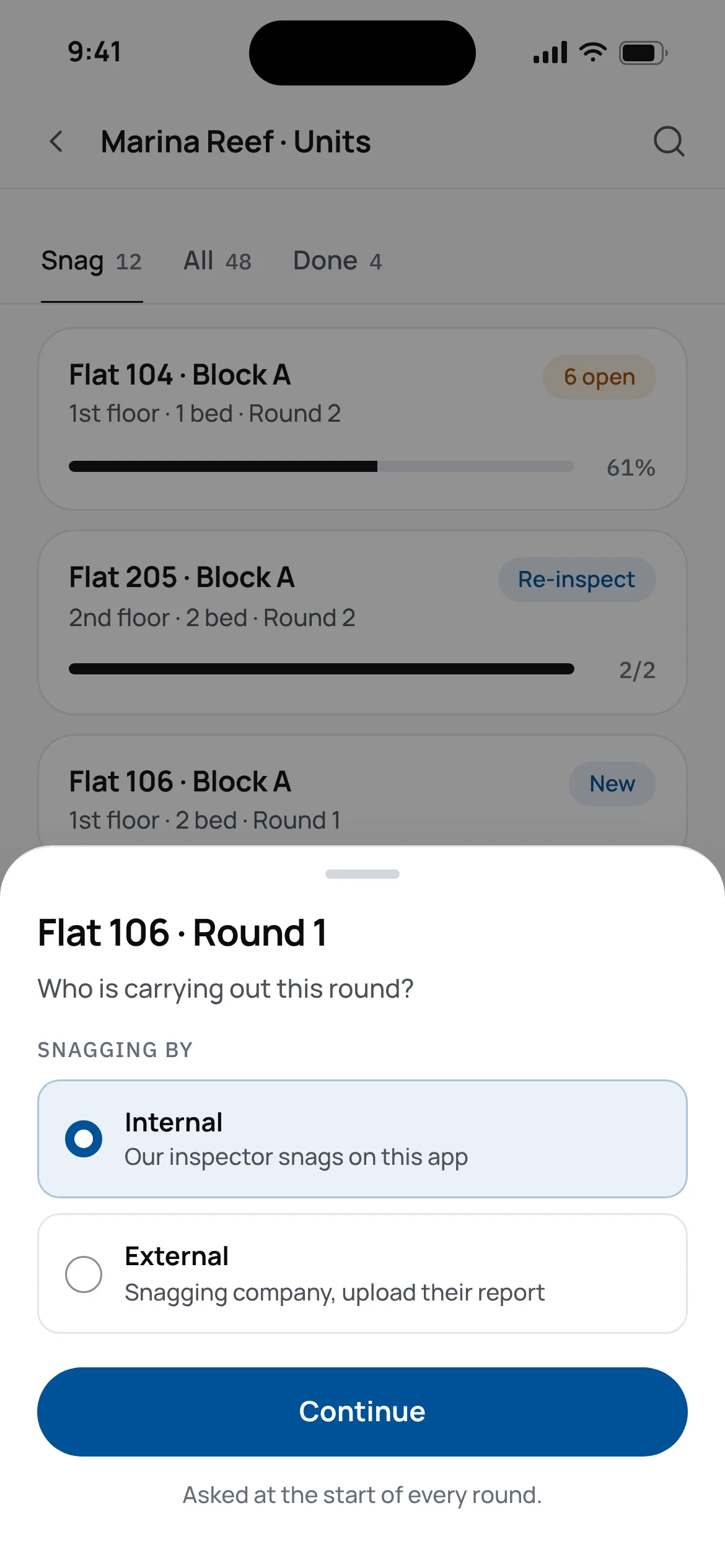
Snagging projects and rounds. Every project waiting for snagging, then each round by an internal inspector or an external company.
Handover & Snagging: Room checklist
Handover & Snagging: Room checklist, second screen
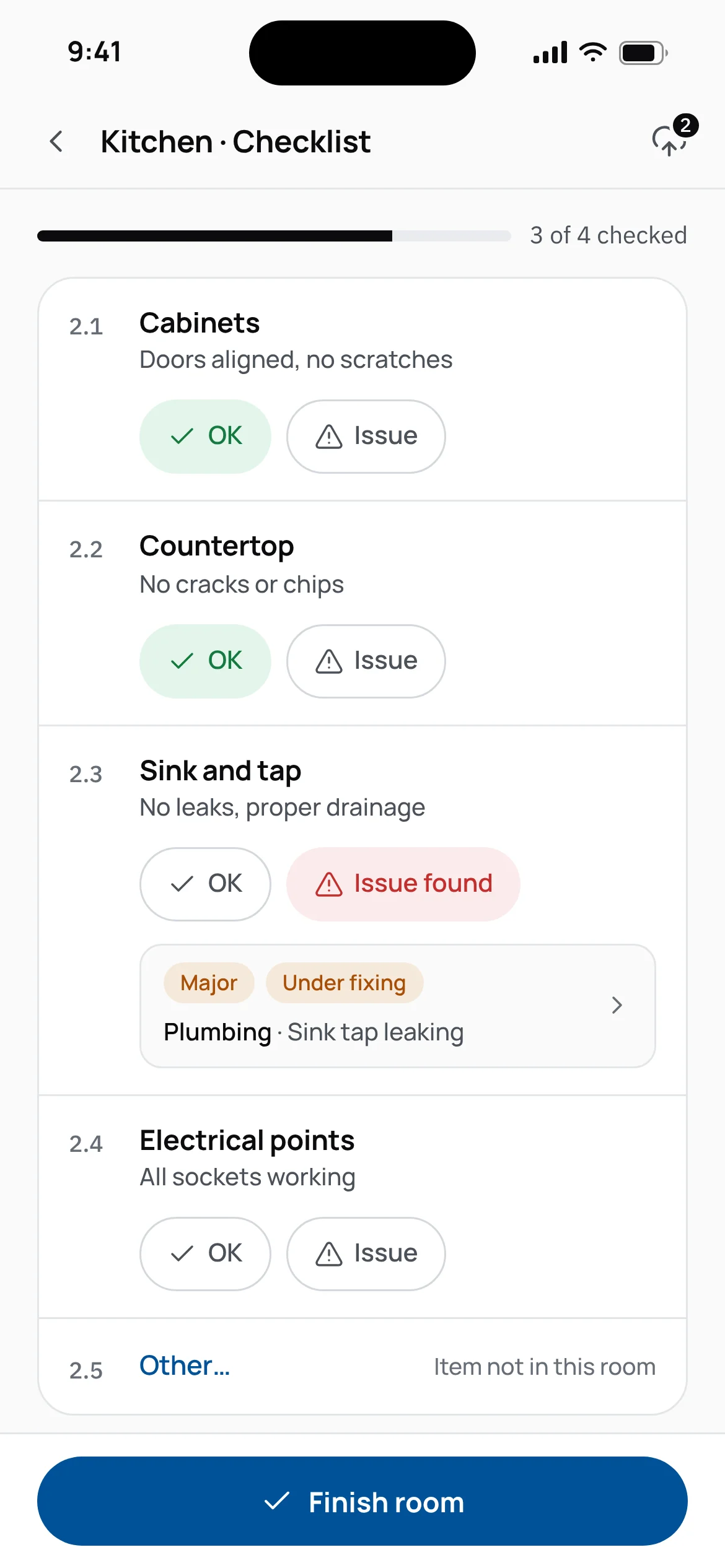
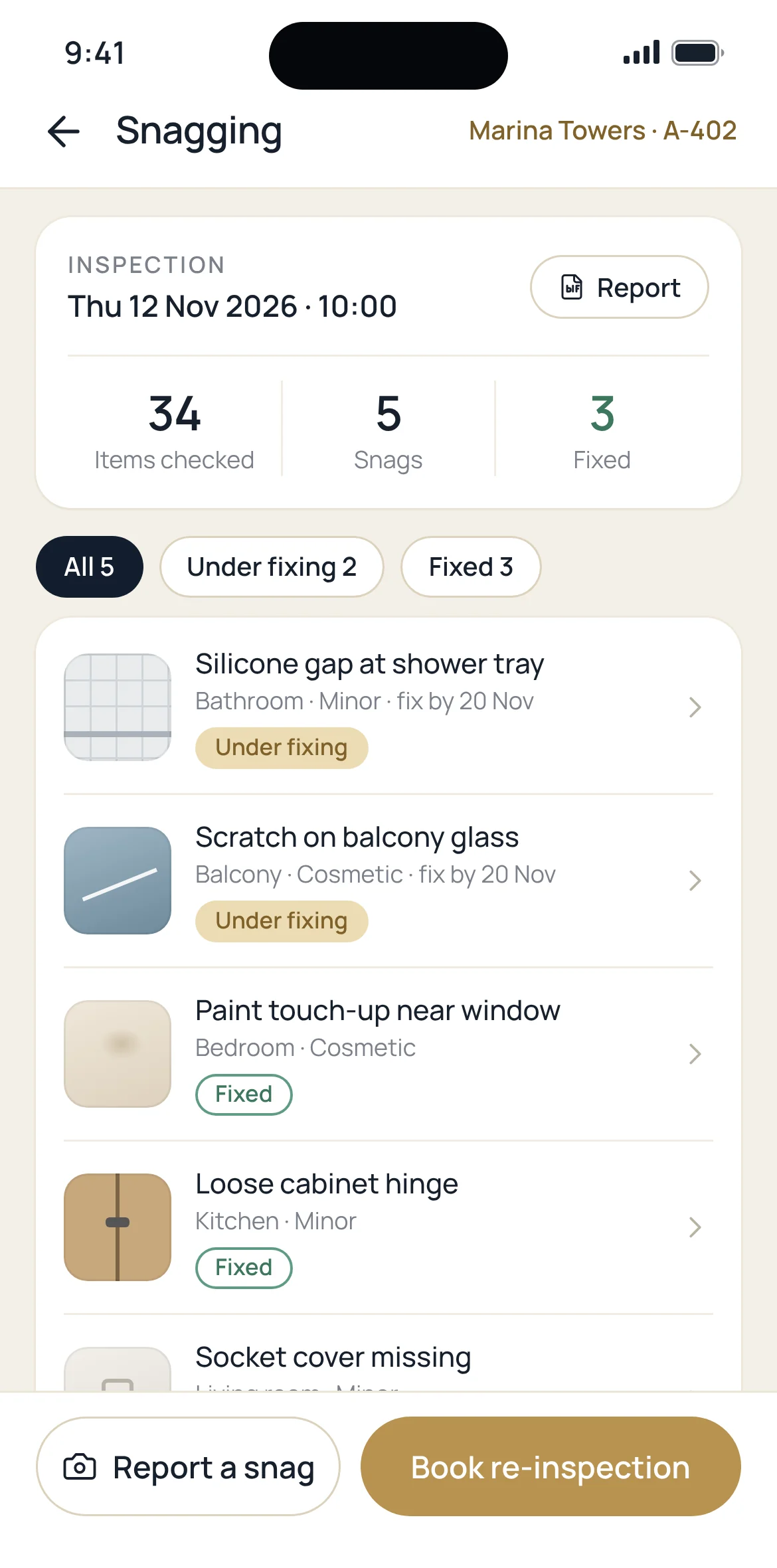
Room checklist. Room by room with severity and photos, and the buyer's view of the same snags in their app.
Handover & Snagging: Handover record
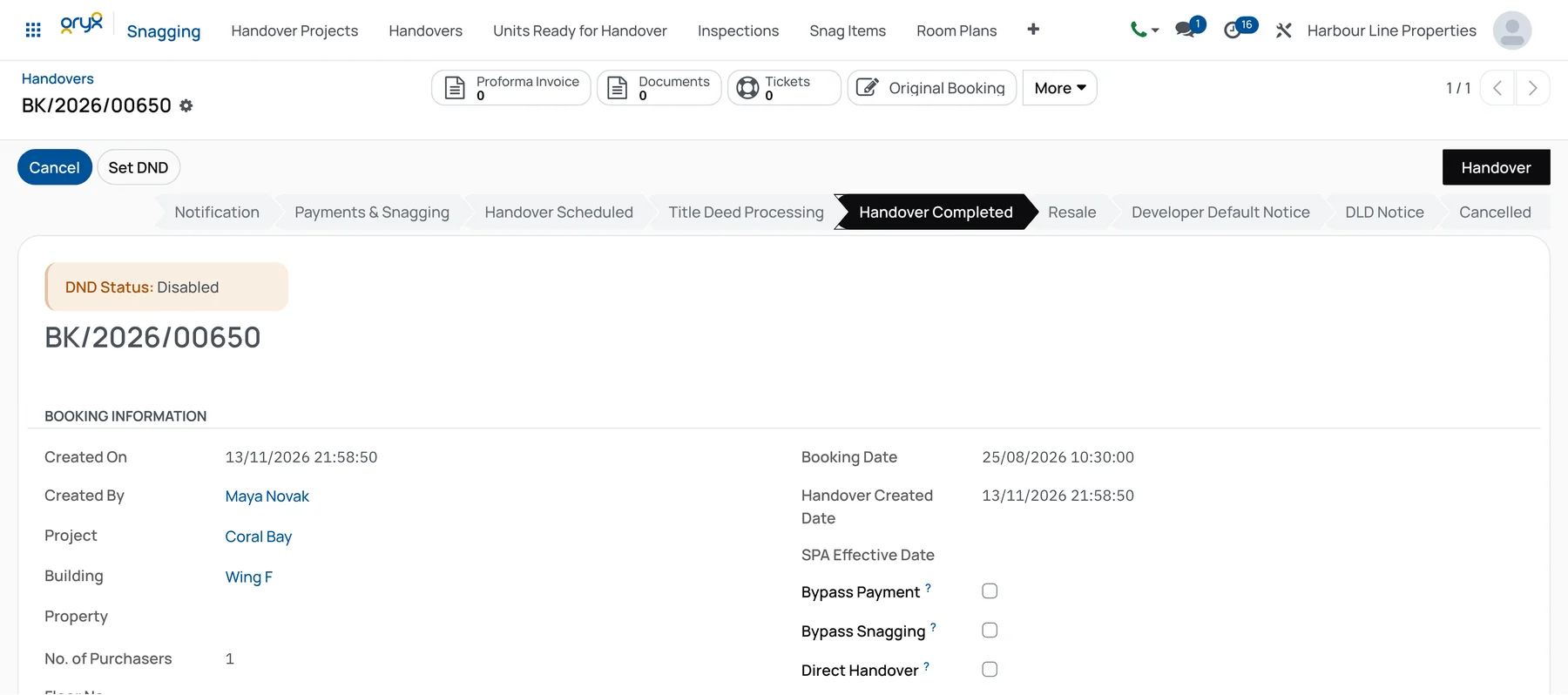
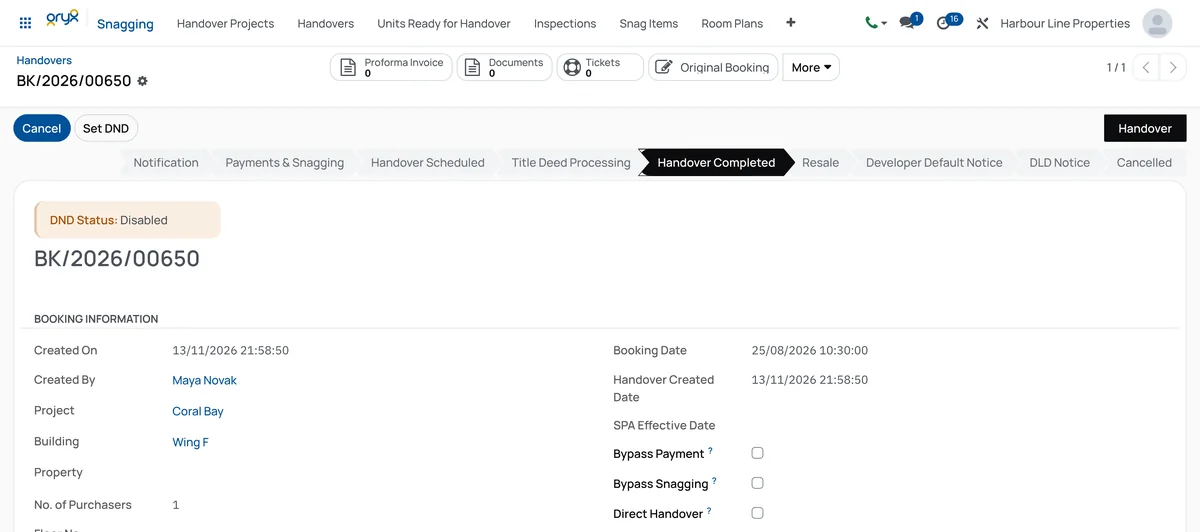
Handover record. From notice and snagging to keys and title deed, stage by stage.
1 / 3

What Handover & Snagging does

  • Internal or external snagging rounds
  • Photos on every snag
  • Customer sign-off
  • Handover appointments
  • Utility connections tracked
  • Post-handover plans
Learn more

4 Run

See the whole business. Answer every buyer.

Leadership sees sales, collections and inventory every morning. Every buyer request becomes a ticket with an owner and a due time, and tasks, teams and access are set once for the company.

Dashboards: Leadership dashboard
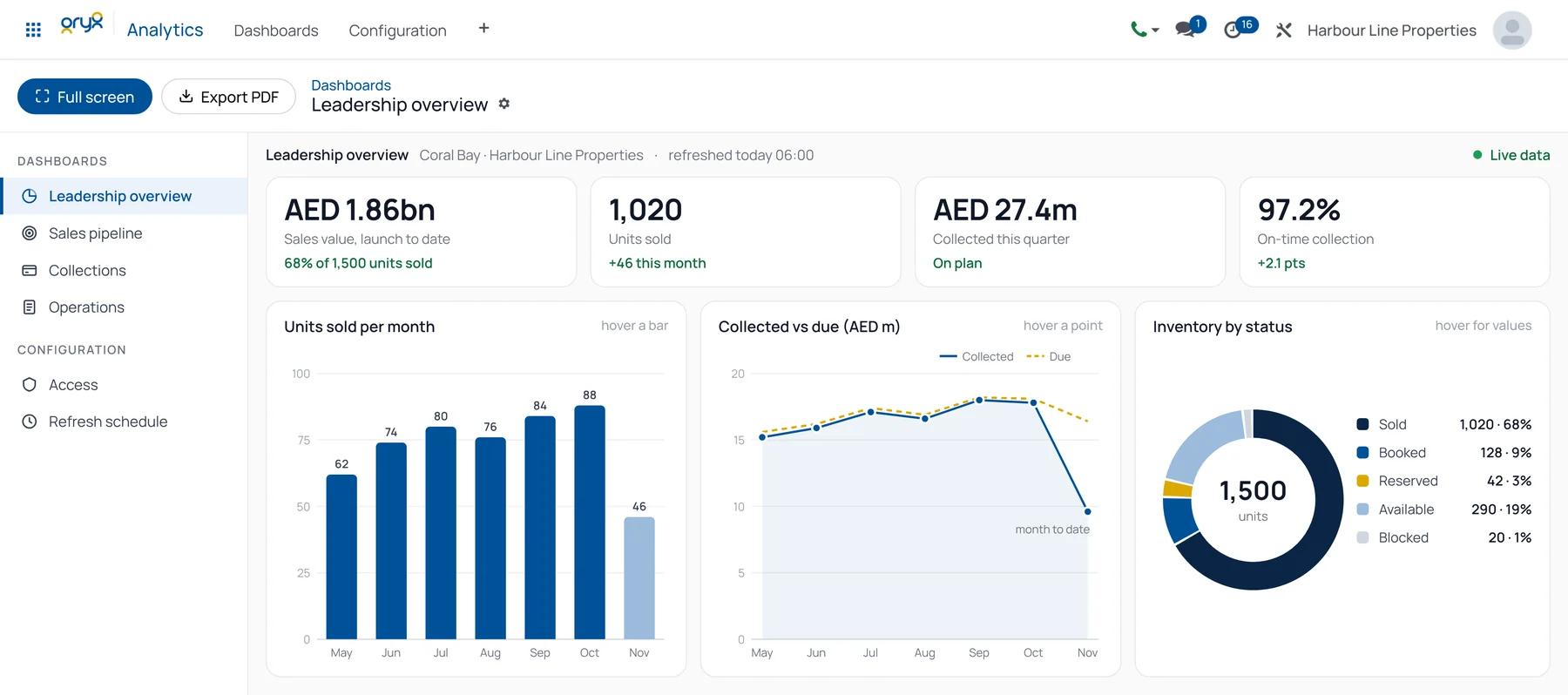
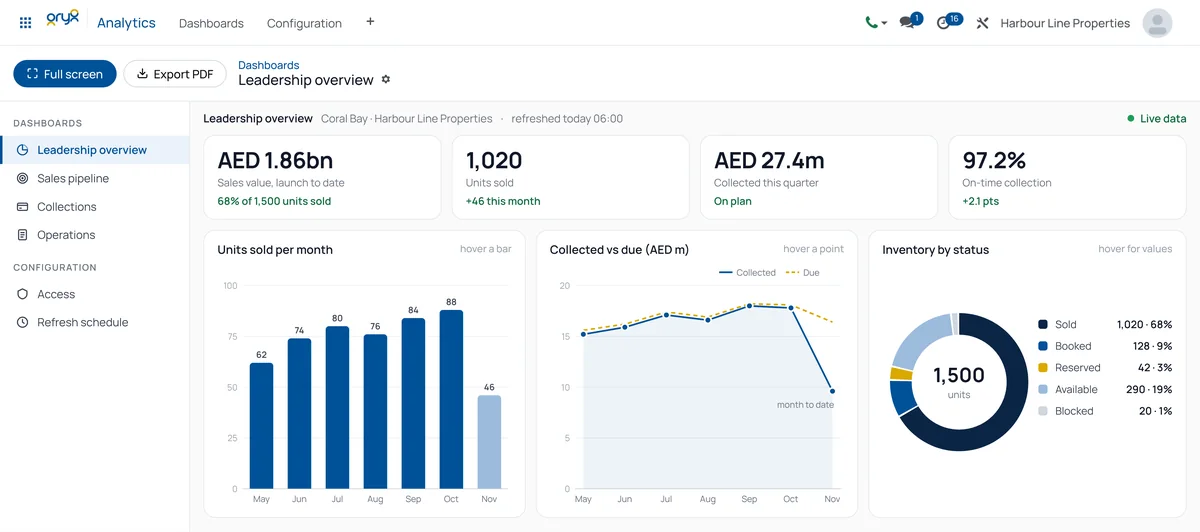
Leadership dashboard. Sales value, units sold, collections and inventory.
Dashboards: Operations dashboard
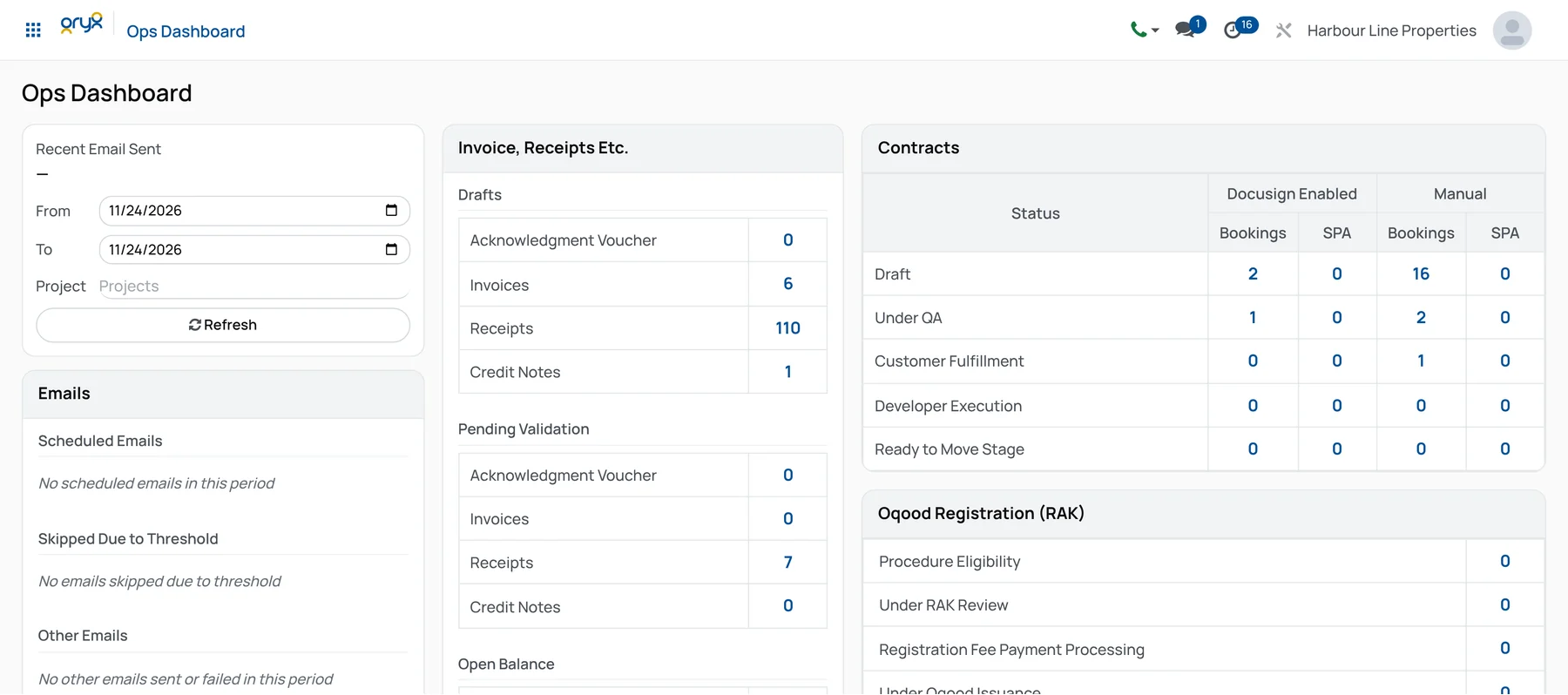
Operations dashboard. Emails, invoices, contracts and Oqood, counted daily.
1 / 2

What Dashboards does

  • Interactive dashboards
  • 13 built-in reports
  • AI summary and analysis
  • Access by role
  • Refreshed every four hours
  • Set up by function
Learn more
Customer Care: Ticket queue
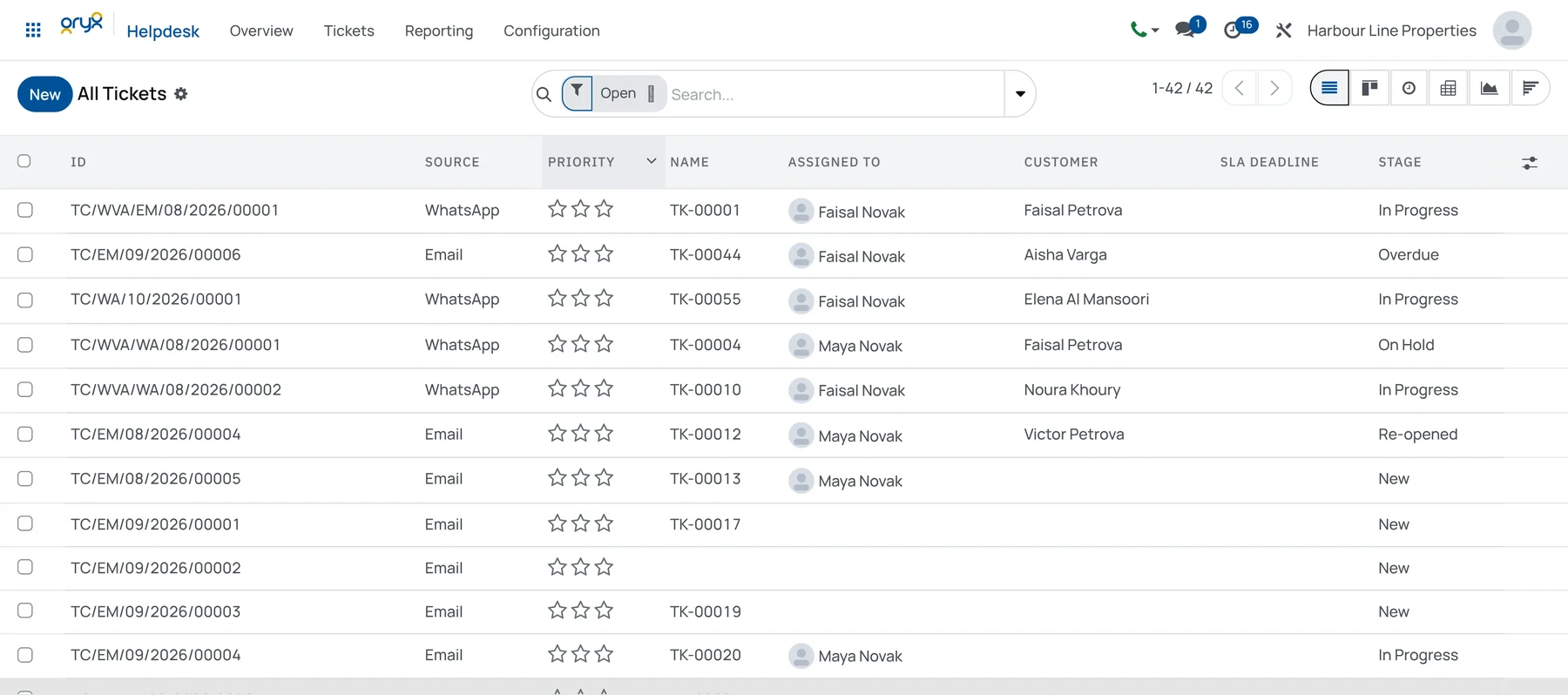
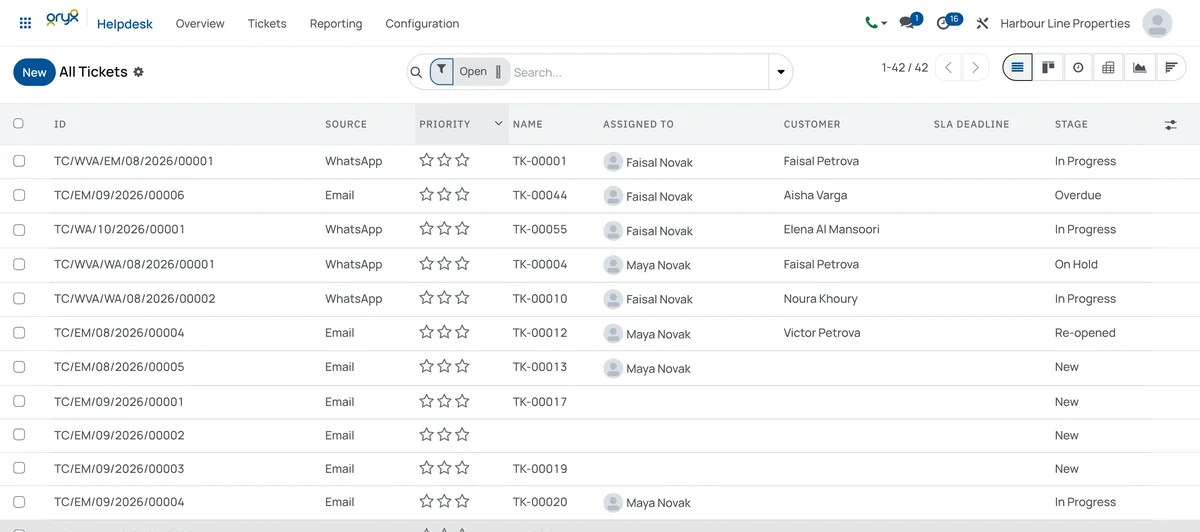
Ticket queue. Every request with its source, owner, customer and stage.
Customer Care: Helpdesk overview
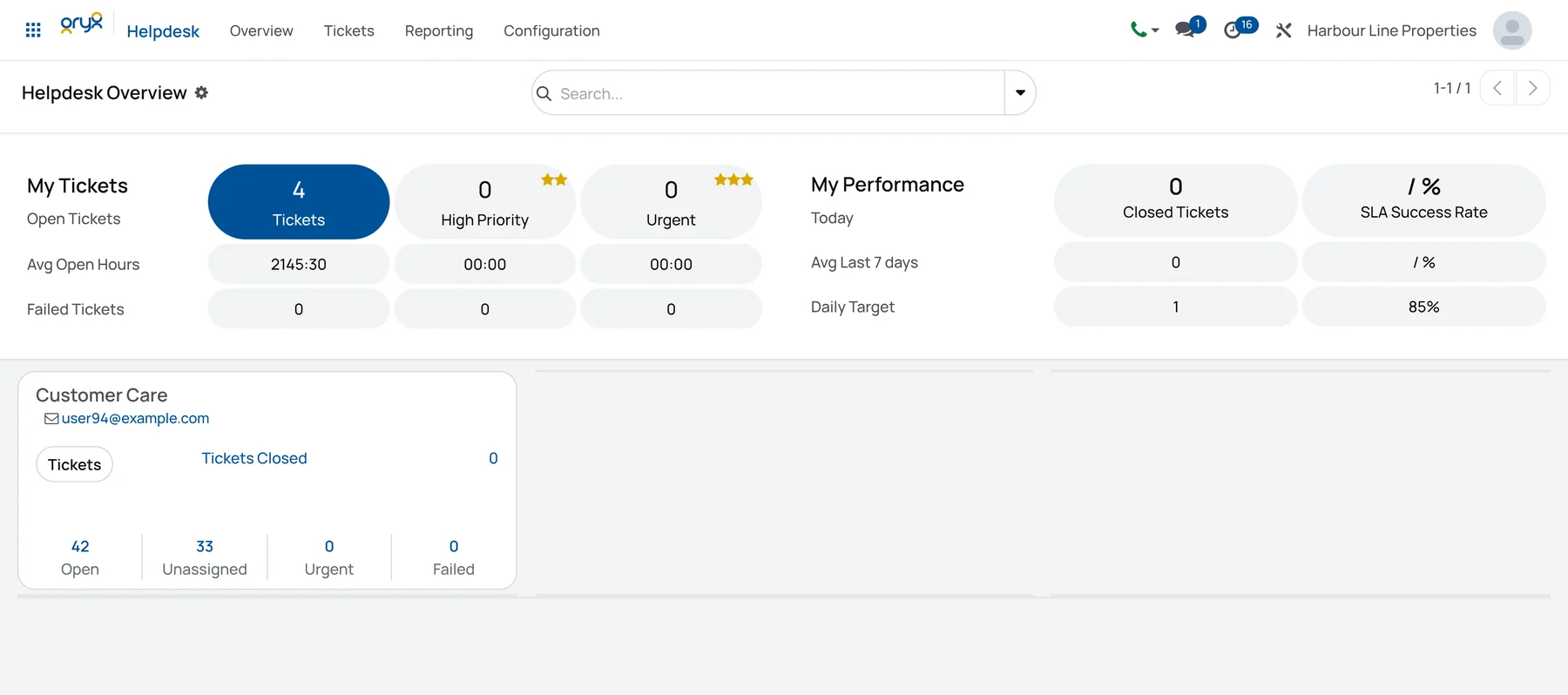
Helpdesk overview. Open, unassigned and urgent tickets for each team.
Customer Care: Requests in the app
Customer Care: Requests in the app, second screen
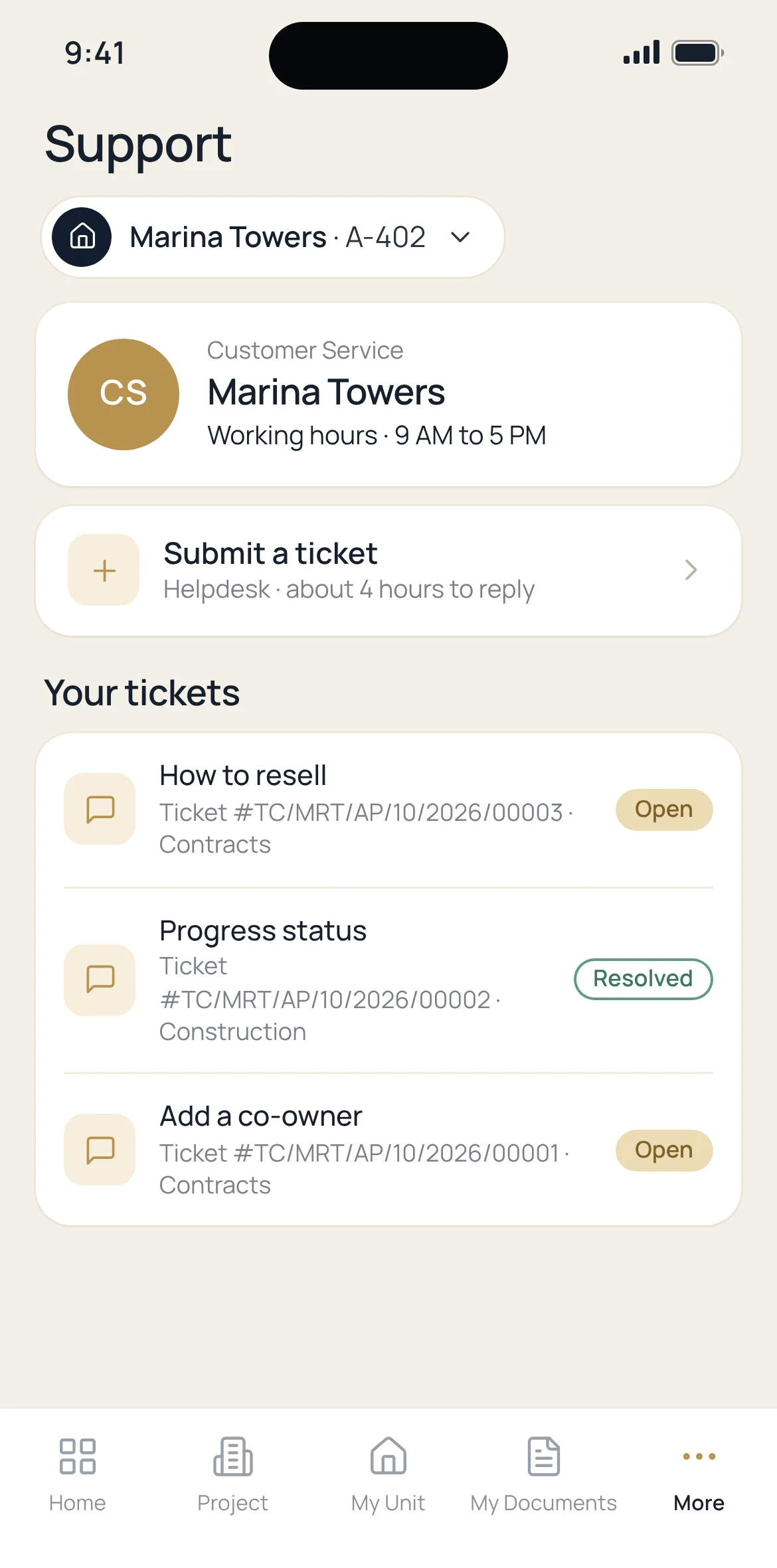
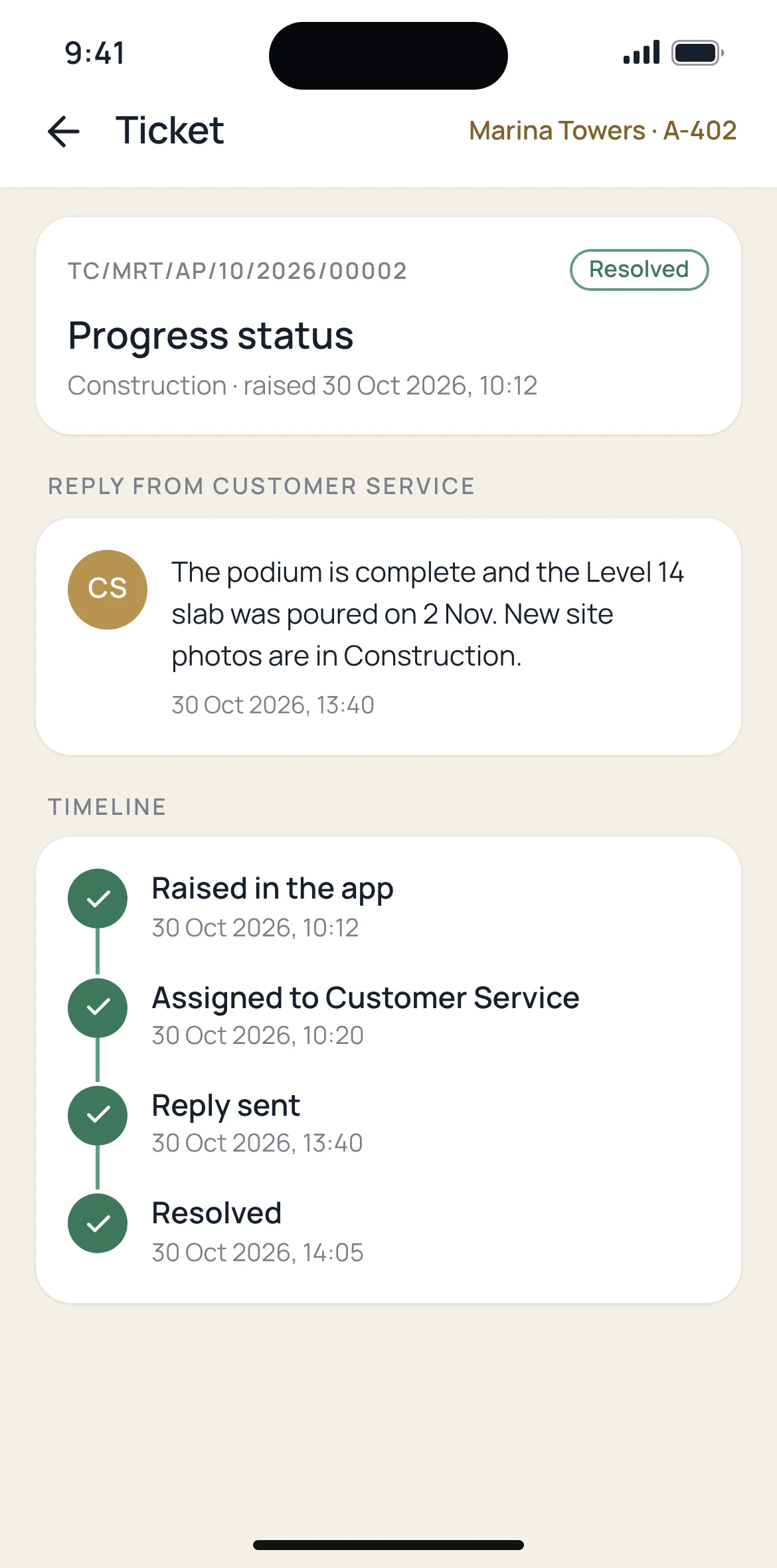
Requests in the app. Buyers raise a request from their unit and follow it to the reply.
Open tickets. Sample data, set up like a UAE off-plan project.
1 / 4

What Customer Care does

  • Email tickets
  • WhatsApp support
  • Calls open tickets by themselves
  • Levels L1 to L4
  • Callbacks for missed calls
  • AI email routing
  • Requests from the customer app
Learn more
Coral Bay onboarding. Sample data, set up like a UAE off-plan project.

What Projects & Tasks does

  • Task templates
  • Project onboarding checklist
  • Booking and project notes
  • Business calendar
  • Reminder emails
  • Checklists before a stage moves
  • Custom fields without a developer
Learn more
Teams and access. Sample data, set up like a UAE off-plan project.

What People & Access does

  • Teams and departments
  • Role-based access
  • Approvers per stage
  • Working-days calendar
  • Masked ID numbers
  • Sign-ins in the audit trail
  • Each company kept apart
Learn more
Customer App: Home and My unit
Customer App: Home and My unit, second screen
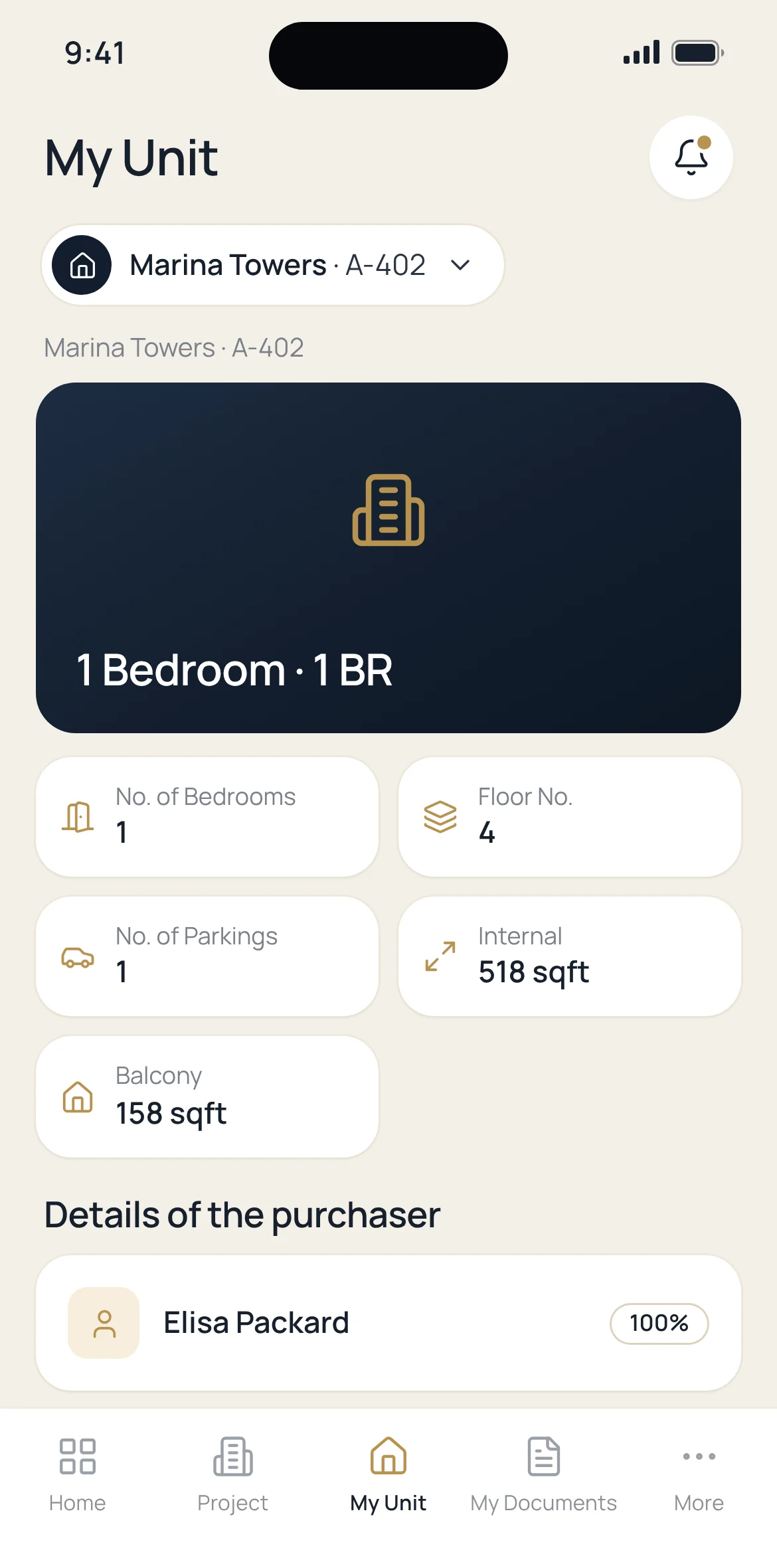
Home and My unit. Every unit at a glance with construction news, then the unit's details and the purchaser.
Customer App: Financials and construction
Customer App: Financials and construction, second screen
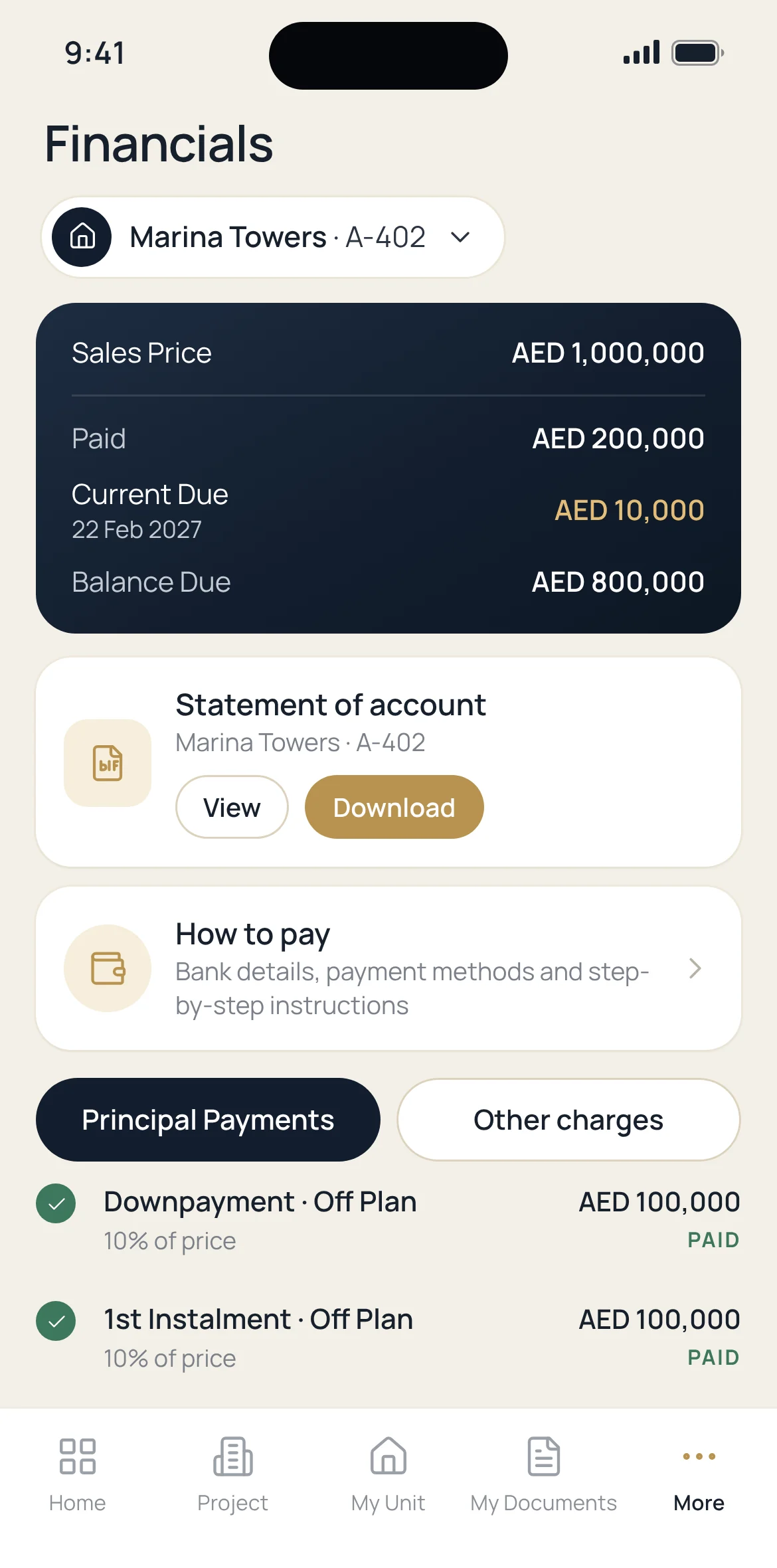
Financials and construction. Paid, due and balance, the statement and how to pay by bank transfer or cheque. Milestones and site photos as they happen.
Customer App: Support, in your brand
Customer App: Support, in your brand, second screen
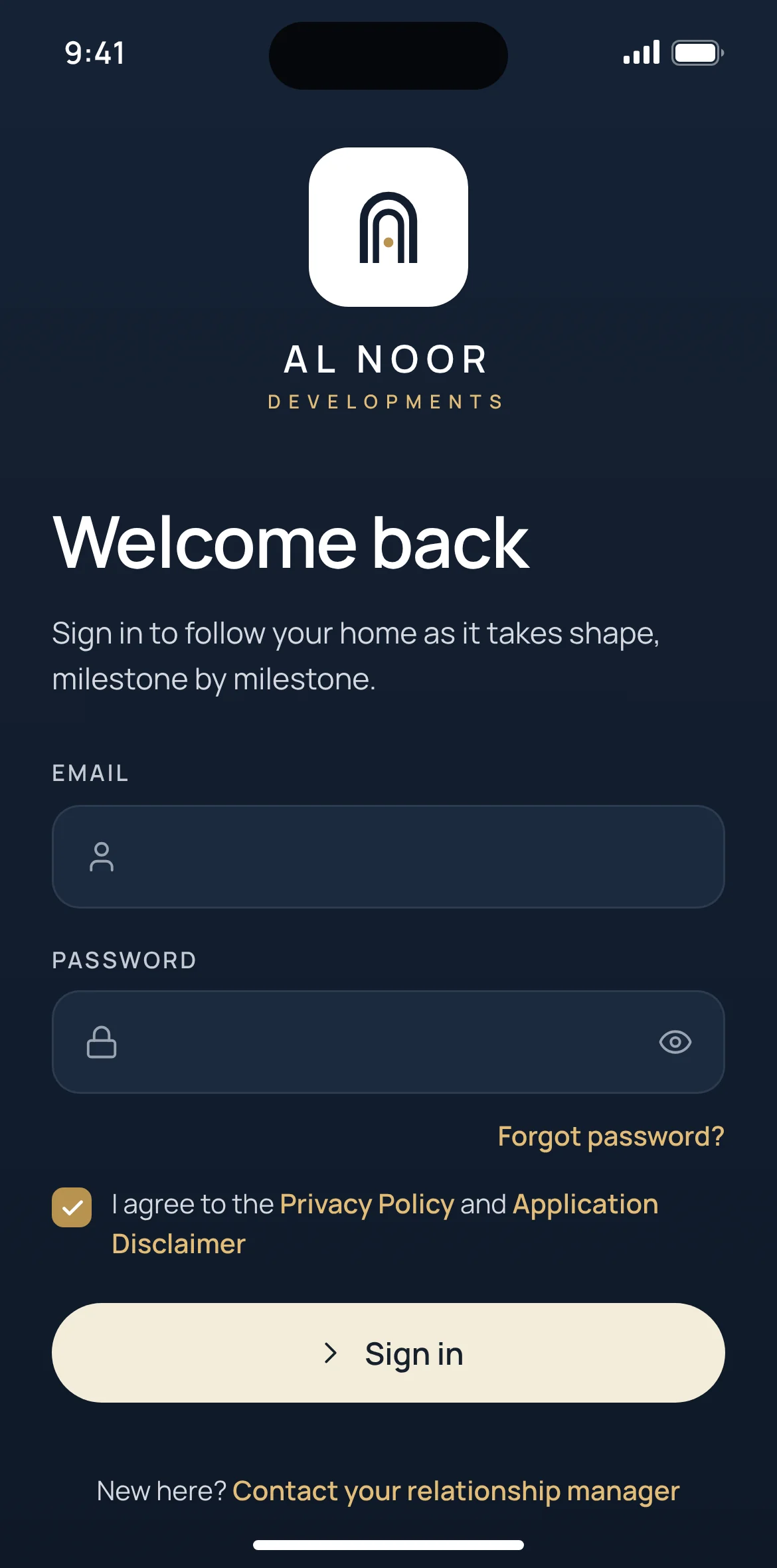
Support, in your brand. Requests linked to the unit, and a sign-in screen in the developer's own logo and colours.
1 / 3

What Customer App does

  • iPhone and Android
  • English and Arabic
  • Site photos and milestones
  • Customer service requests
  • Instalment reminders
  • Handover booking
  • Payment by bank transfer or cheque
Learn more

Spreadsheets, a general CRM, or the Oryx Suite.

A general-purpose CRM is flexible and handles leads well. The difference shows after the booking, where payment plans, Oqood, escrow and handover live.

How Oryx compares with spreadsheets and email and with a general-purpose CRM
TaskSpreadsheets and emailA general-purpose CRMOryx
Leads from ads, portals and brokersCopied in by handBuilt inBuilt in, with a rule-based duplicate check
Live unit availabilityA sheet sent out each morningCustom set-upOne live list for your website, brokers and sales office
Payment plans and instalmentsBuilt by hand for each buyerCustom set-up or an add-onCreated from the payment plan at booking
SPA and Oqood stepsTracked in a sheetCustom set-upStages, documents and fees on the booking
Escrow balances and withdrawalsBank statementsA separate systemBalance, threshold and requests on one screen
Snagging and handoverPaper and photosA separate toolRoom by room on a phone, through to the keys
Buyer app in your brandNoneA separate productPart of the suite, in English and Arabic

Read: a generic CRM or a developer suite? How to decide

UAE rules, part of every booking.

Your team follows the local steps without looking them up, and every document, fee and status stays on the booking.

Off-plan terms explained
  • Oqood registration

    Dubai and Ras Al Khaimah stages, documents and fees, tracked to the certificate.

  • Escrow and noqodi

    Payments recorded against each project's escrow account, with noqodi status on the record.

  • Arabic contracts

    SPAs and letters from your own templates in English and Arabic, signed through DocuSign.

  • Emirates ID reading

    ID details read straight into the buyer record. Nothing typed twice.

  • UAE e-invoicing

    Invoices ready for the UAE e-invoicing programme, with Veutel as our accredited partner.

  • English and Arabic

    Buyer app, portals and documents in both languages.

Your records live in the UAE, under your control.

What IT and compliance teams ask first. Read the security page.

  • Where Oryx runs

    Oryx runs on Microsoft Azure in the UAE North region, in Dubai.

  • Access by role

    Roles decide which menus, records and fields each person can see or change. Passport and Emirates ID numbers are masked for roles that do not need them.

  • Audit trail

    Sign-ins and changes are recorded against the person who made them, with the time.

  • Maker-checker

    Payments and escrow requests are prepared by one person and approved by another. AI never approves anything.

Questions developers ask first.

Straight answers. There are 94 more on the FAQ page.

What is Oryx?

Oryx is CRM and operations software for UAE off-plan real estate developers. It runs 15 solutions, from the first enquiry to the handover keys, on one record per unit and buyer.

Who is Oryx for?

Developers selling off-plan in the UAE, from a first project to a portfolio of several, and the sales, finance, operations and customer care teams that run them.

Do we have to take all 15 solutions?

No. You choose the solutions you need now and add others later. Each one works on the same records, so nothing is set up twice.

Which emirates does Oryx support?

Dubai and Ras Al Khaimah steps are built in, including Oqood and the Ras Al Khaimah registration path. Other emirates are on the Horizon page.

Does Oryx connect to DLD?

Oryx follows the Dubai Land Department steps and keeps every document, fee and status on the booking. Your team submits registrations and escrow records on DLD's own systems.

How long does it take to go live?

It depends on the solutions you choose and how much data moves across. We agree the dates at kickoff and track every onboarding task on a shared plan.

What does Oryx cost?

It depends on the solutions you choose and the size of your team. We send a written proposal after the demo.

See your next launch on Oryx.

We show the solutions you pick, on sample data set up like a UAE off-plan project. We reply within one working day.

  • No preparation needed
  • Your solutions first
  • A written proposal after